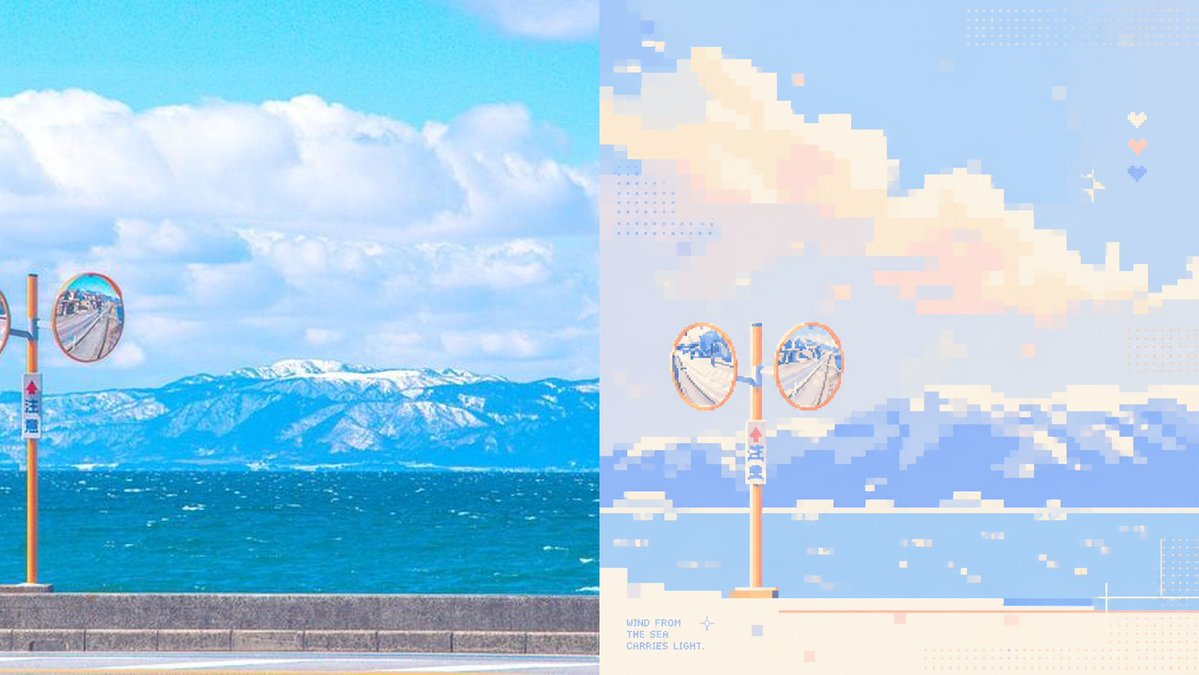
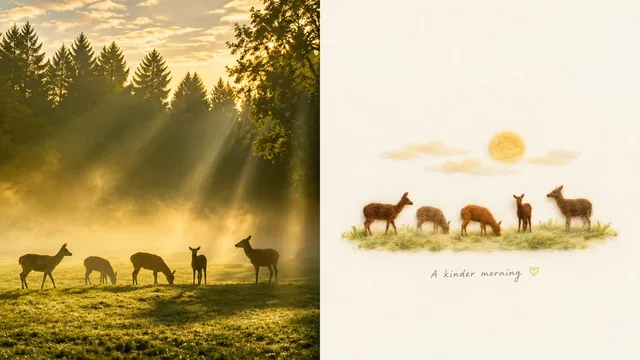
プロンプト/GPT Imageプロンプト/プロンプトの詳細画像プロンプト海岸写真からパステルピクセルアートへ画像 1 / 3美的なビフォーアフター画像研究のための、海岸の写真と柔らかなパステル調のピクセルアート再構築の並列表示を生成。このプロンプトは参照画像と共に使用されましたこのプロンプトを使ういいね140表示39,157ブックマーク160このプロンプトを保存するか、友達と共有しましょう。プロンプトを共有プロンプトコピーUsing the provided reference image as a layout and style guide, create a clean before/after comparison showing a real coastal photo transformed into soft healing-color pixel art. Change the subject to {argument name="scene subject" default="a sunny seaside road with orange roadside convex traffic mirrors, blue ocean, and snowy mountains in the distance"}. Layout: use exactly 2 vertical panels side by side — the left panel is the realistic photo source, and the right panel is the pixel-art reconstruction. Keep the split at the center with no border. Left panel: make it a bright, saturated real-photo coastal landscape with blue sky, large white clouds, turquoise sea, distant snow-covered mountains, a low concrete seawall, and orange roadside mirror poles. Include 2 visible convex mirrors: 1 full round mirror near the left-center edge and 1 partial cropped round mirror at the far left edge. Right panel: reinterpret the left panel as low-resolution pixel art with large square blocks, pastel blue, cream, peach, lavender, and mint tones, airy negative space, and a calm therapeutic palette. Include exactly 2 full circular convex mirrors on one orange pole near the lower center-left, with the ocean, mountains, clouds, seawall, and small water highlights simplified into pixel blocks. Add decorative pixel details only on the right panel: dotted halftone squares, tiny pastel square accents, a small sparkle/star icon, and exactly 3 small heart icons stacked vertically near the upper-right area. Add small pixel text at the lower-left of the right panel reading {argument name="caption text" default="WIND FROM\nTHE SEA\nCARRIES LIGHT."}. Use a wide horizontal canvas, crisp pixel edges on the right, bright daylight, no people, no watermark.プロンプトを表示