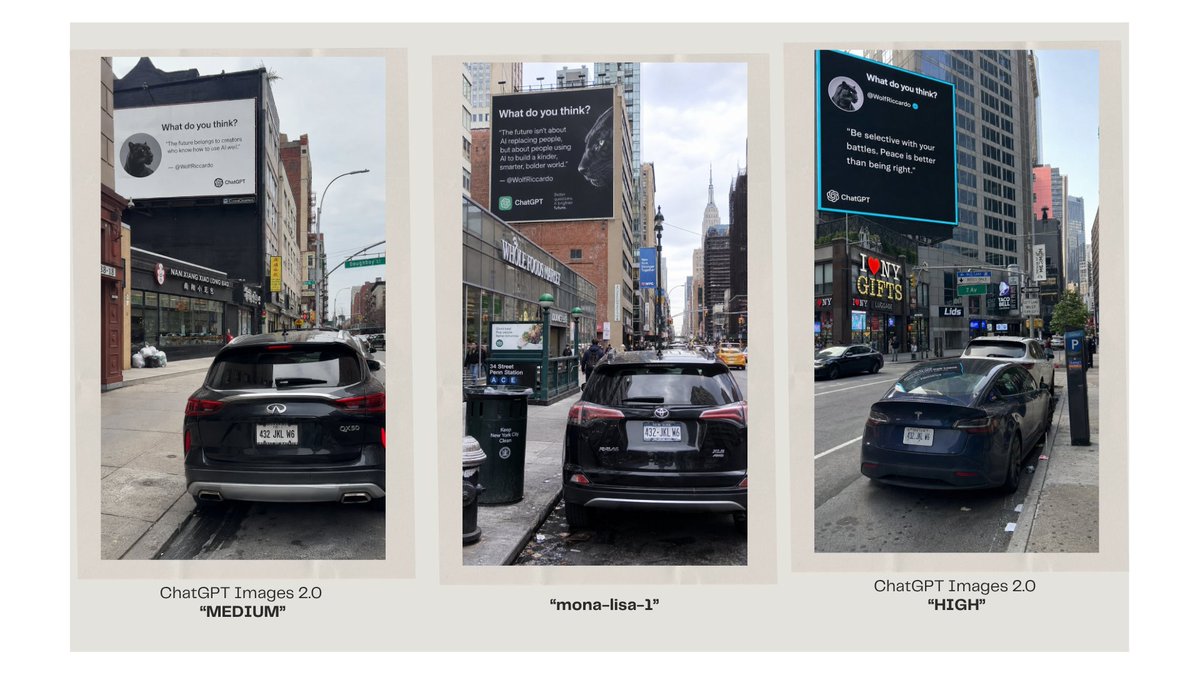
프롬프트/GPT Image 프롬프트/프롬프트 세부 정보이미지 프롬프트3패널 AI 빌보드 비교다른 이미지 모델 출력으로 표시된 3개의 포토리얼리스틱 NYC 빌보드 거리 장면을 보여주는 넓은 비교 슬라이드입니다.이 프롬프트는 참조 이미지와 함께 사용되었습니다이 프롬프트 사용좋아요573조회48,539북마크75이 프롬프트를 저장하거나 친구와 공유하세요.프롬프트 공유프롬프트복사Goal: Create a clean comparison graphic showing three AI-generated urban billboard photos side by side, as if comparing image model outputs. Canvas: Wide 16:9 presentation slide with a warm off-white background and generous margins. Place three tall vertical photo panels evenly spaced across the canvas, each framed by a pale beige mat/border. Under each panel, add a centered caption. Layout: Exactly 3 vertical street-photo panels in one row. Panel 1 on the left, Panel 2 in the center, Panel 3 on the right. Each panel shows a realistic New York City street scene with parked cars in the foreground, tall buildings, sidewalks, traffic signs, and a large square billboard mounted high on a building. Use slightly different street angles and lighting in each panel, like three separate model outputs of the same concept. Panel details: Left panel: a rear view of a black SUV parked on a city street, looking toward storefronts and buildings; a large white billboard above the street reads like a social-media quote card with a small circular animal avatar, the heading “What do you think?”, a short quote, and small ChatGPT branding. Center panel: a black SUV parked on a narrow Manhattan street with the Empire State Building visible in the distance; a large dark billboard with white text, a circular animal avatar, and ChatGPT branding. Right panel: a black sedan parked along a busier avenue with storefront signs such as “I ♥ NY GIFTS”; a large black billboard with a bright cyan border, white quote text, a circular animal avatar, and ChatGPT branding. Caption text: Use exactly 3 captions beneath the panels. Left caption: “ChatGPT Images 2.0” on the first line and “MEDIUM” in bold quotation marks on the second line. Center caption: “mona-lisa-1” in bold quotation marks. Right caption: “ChatGPT Images 2.0” on the first line and “HIGH” in bold quotation marks on the second line. Customizable text slots: The comparison labels should read {argument name="left model label" default="ChatGPT Images 2.0"}, {argument name="center model label" default="mona-lisa-1"}, and {argument name="right model label" default="ChatGPT Images 2.0"}. The left quality tag should be {argument name="left quality tag" default="MEDIUM"} and the right quality tag should be {argument name="right quality tag" default="HIGH"}. Visual style: Photorealistic smartphone street photography inside each panel, but arranged as a polished social-media comparison slide. Keep the overall slide minimal, with no decorative graphics beyond the three framed images and their captions. The billboard text inside the photos may be small and partially imperfect, but it should clearly resemble AI quote-card advertising with ChatGPT logos.프롬프트 보기