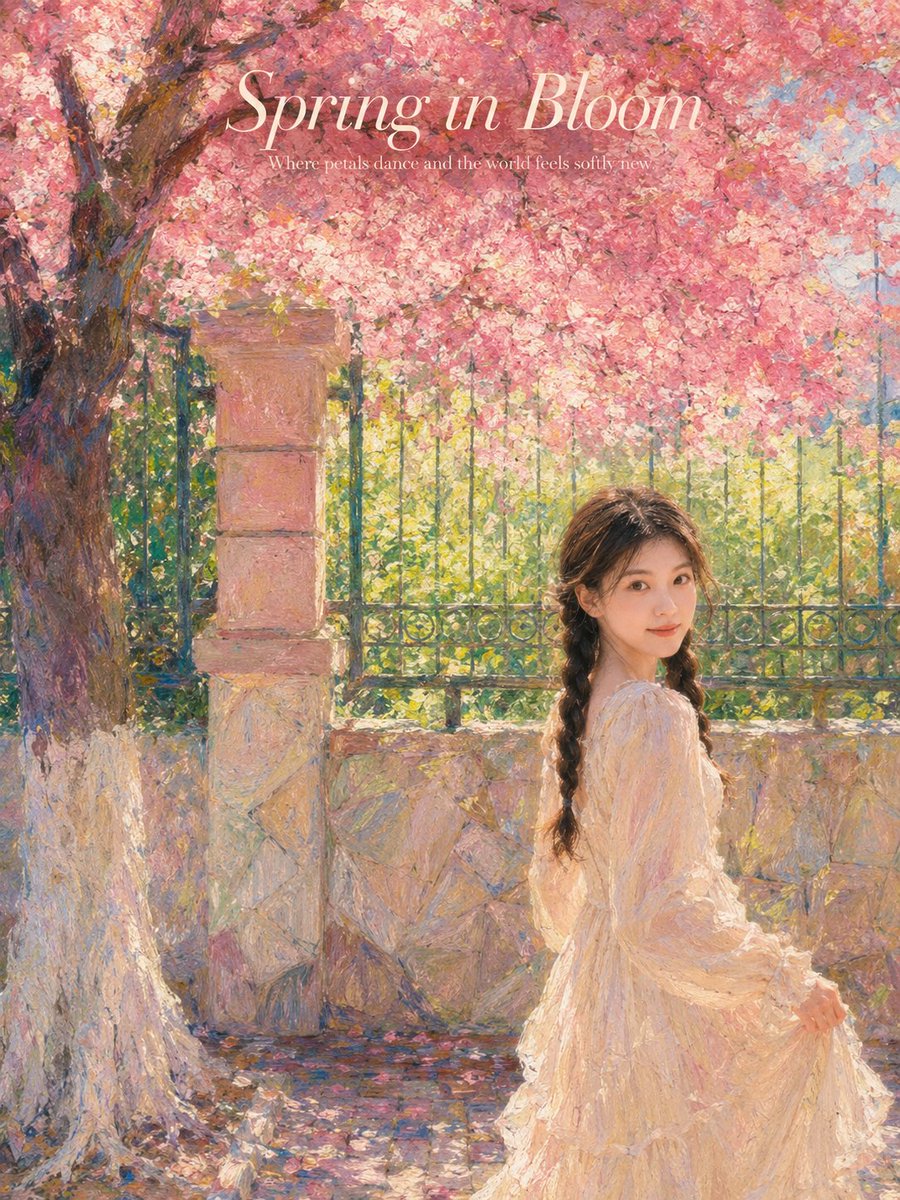
프롬프트/GPT Image 프롬프트/프롬프트 세부 정보이미지 프롬프트인상주의 봄 정원 유화참조 사진을 벚꽃과 그림 같은 질감이 있는 몽환적인 인상주의 봄 정원 초상화로 변환하여 얼굴 특징을 유지하면서 환경을 변경합니다.이 프롬프트는 참조 이미지와 함께 사용되었습니다이 프롬프트 사용좋아요27조회681북마크13이 프롬프트를 저장하거나 친구와 공유하세요.프롬프트 공유프롬프트복사Use the uploaded portrait only as the identity reference. Preserve the subject’s real facial features, face shape, skin tone, hairstyle, and natural hair texture. Do not copy the original portrait’s clothes, background, lighting, pose, or image quality. Create a dreamy {argument name="season" default="spring"} garden portrait inspired by an {argument name="art style" default="impressionist oil-painting"} poster. A realistic person stands under a large blooming {argument name="tree type" default="pink cherry blossom"} tree, surrounded by soft sunlight, a stone wall, an iron fence, scattered petals, and a poetic outdoor atmosphere. Keep the face and body realistic, with natural skin texture, no plastic look, no anime style. Choose an elegant outfit that naturally suits the uploaded person and the soft spring scene, without forcing a fixed costume. The clothing should feel graceful, cinematic, and harmonious with the pink blossom background. Soft pastel colors, painterly brushstroke texture, warm natural light, romantic editorial composition, gentle motion, high-end art poster feeling. Add tasteful English poster text at the top: “{argument name="title" default="Spring in Bloom"}”, with small elegant English subtitle text below. No watermark, no logo, no random text. Vertical composition, fine-art poster style, realistic subject, dreamy impressionist background Negative Prompt: watermark, logo, Chinese text, messy text, unreadable typography, anime, cartoon, plastic skin, fake face, over-smoothed skin, distorted face, bad anatomy, extra fingers, deformed hands, unnatural pose, low quality, blurry face, harsh AI look, duplicate person, copied original background, copied original clothing프롬프트 보기