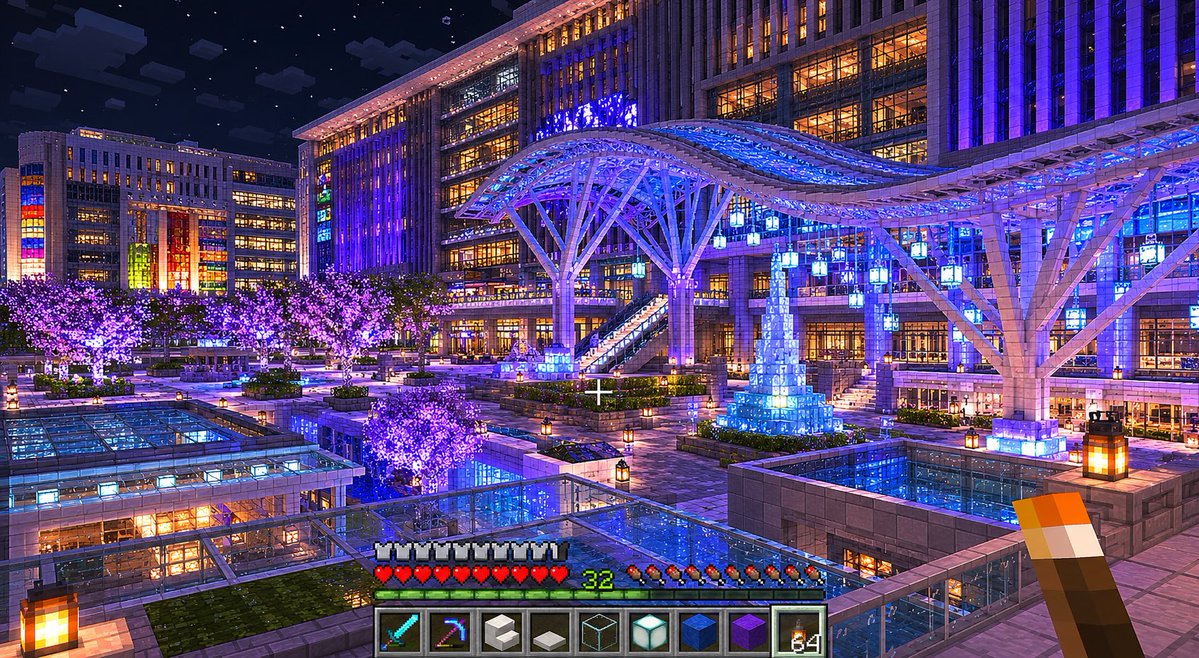
프롬프트/GPT Image 프롬프트/프롬프트 세부 정보이미지 프롬프트마인크래프트 야간 광장 변환실제 야간 도시 광장 사진을 세련된 바닐라 마인크래프트 1인칭 건축 스크린샷으로 변환합니다.이 프롬프트는 참조 이미지와 함께 사용되었습니다이 프롬프트 사용좋아요0조회82북마크0이 프롬프트를 저장하거나 친구와 공유하세요.프롬프트 공유프롬프트복사Using the provided reference image, reconstruct the scene as a high-quality vanilla Minecraft architectural screenshot. Do not make it photorealistic; make it look as if an expert Minecraft builder recreated this real night city plaza entirely inside Minecraft using only vanilla blocks. Preserve the main composition and landmarks from the reference: the nighttime urban plaza, the large station-like building, the sweeping illuminated canopy, the glass-roofed foreground structures, the crowds/market-like plaza activity, the glowing trees, and the central blue-lit tower decoration. Translate all geometry into block-built forms with crisp voxel edges, Minecraft lighting, and believable block materials. Add an in-game Minecraft screenshot presentation: first-person view with a centered crosshair, a torch held in the lower right hand, and the standard survival HUD along the bottom. Include exactly 9 hotbar slots showing these items from left to right: diamond sword, enchanted pickaxe, white block, gray slab/block, glass block, sea lantern, blue block, purple block, and torch stack. Show armor icons, red hearts, hunger icons, and green level number {argument name="player level" default="32"}. Style and quality: vanilla Minecraft only, no mods, no shaders that look non-Minecraft, but use beautiful high-quality lighting, rich blue and purple illumination, warm window glow, starry night sky, reflective-looking glass surfaces, and detailed block placement. Keep the same wide landscape framing, around {argument name="image size" default="1536x864"}, with a polished game screenshot feel.프롬프트 보기