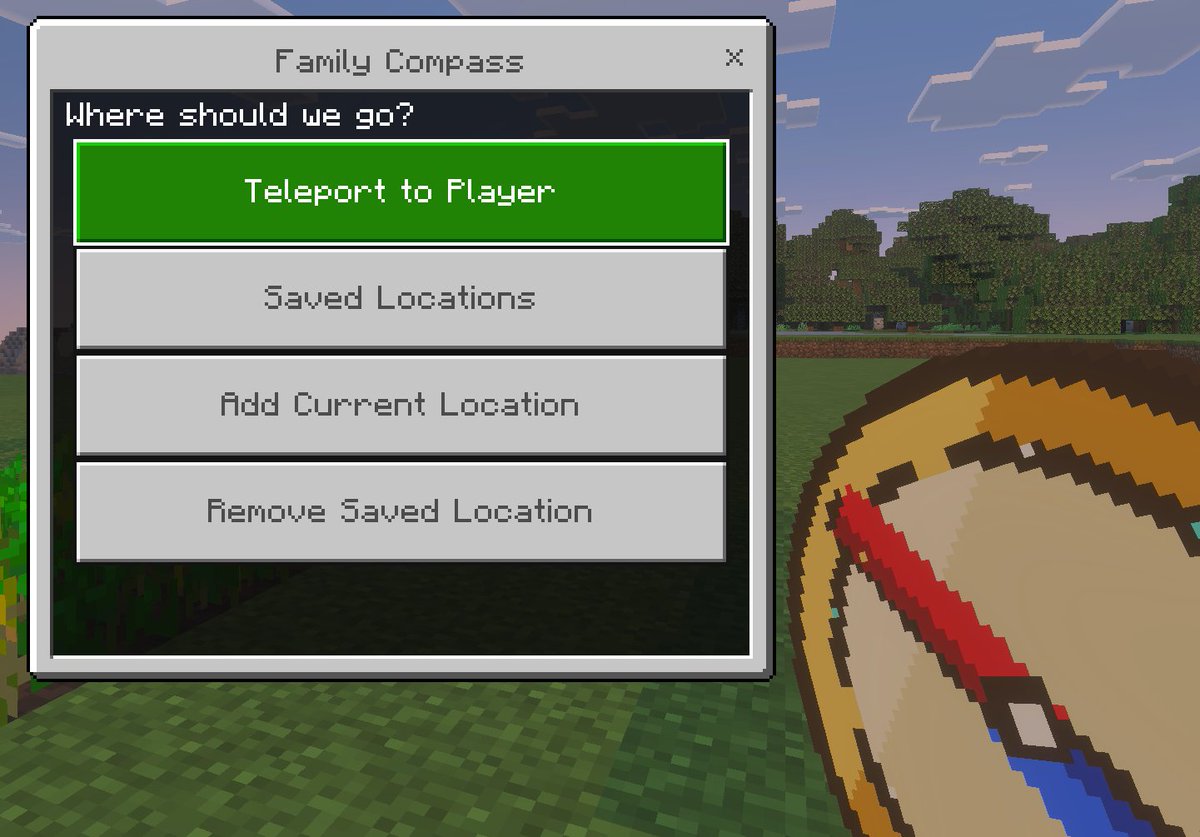
프롬프트/GPT Image 프롬프트/프롬프트 세부 정보이미지 프롬프트마인크래프트 가족 나침반 UI사용자 지정 순간 이동 메뉴와 휴대용 나침반을 특징으로 하는 베드락 스타일 마인크래프트 스크린샷 모형으로, 게임 모드, 애드온 또는 어린이 친화적인 탐색 도구를 보여주는 데 이상적입니다.이 프롬프트는 참조 이미지와 함께 사용되었습니다이 프롬프트 사용좋아요1조회91북마크0이 프롬프트를 저장하거나 친구와 공유하세요.프롬프트 공유프롬프트복사A clean in-game screenshot mockup in the visual style of Minecraft Bedrock Edition, showing a custom teleport menu overlay titled {argument name="window title" default="Family Compass"}. The background is a bright outdoor Minecraft scene with blocky grass in the foreground, a line of leafy trees in the middle distance, and a pale blue sky with rectangular clouds. On the left side, a large Bedrock-style UI window dominates the frame, with a light gray panel, darker gray border, and a small close X in the top-right corner. Centered at the top of the window is the title text. Inside the panel, a dark header bar asks {argument name="prompt text" default="Where should we go?"}. Below it are exactly 4 large horizontal rectangular buttons stacked vertically with even spacing. The first button is highlighted bright green with white pixel-style text reading {argument name="primary button" default="Teleport to Player"}. The next 3 buttons are light gray with medium gray pixel-style text reading, in order, "Saved Locations", "Add Current Location", and "Remove Saved Location". In the lower-right foreground, partially cropped and held as if by the player, is an oversized pixel-art compass item with a tan face, gold rim, and a red needle angled diagonally downward, rendered in chunky Minecraft item icon style. Use authentic Minecraft Bedrock UI proportions, pixelated font, crisp blocky edges, soft in-game lighting, and a polished game-screenshot composition with the menu as the main focus.프롬프트 보기