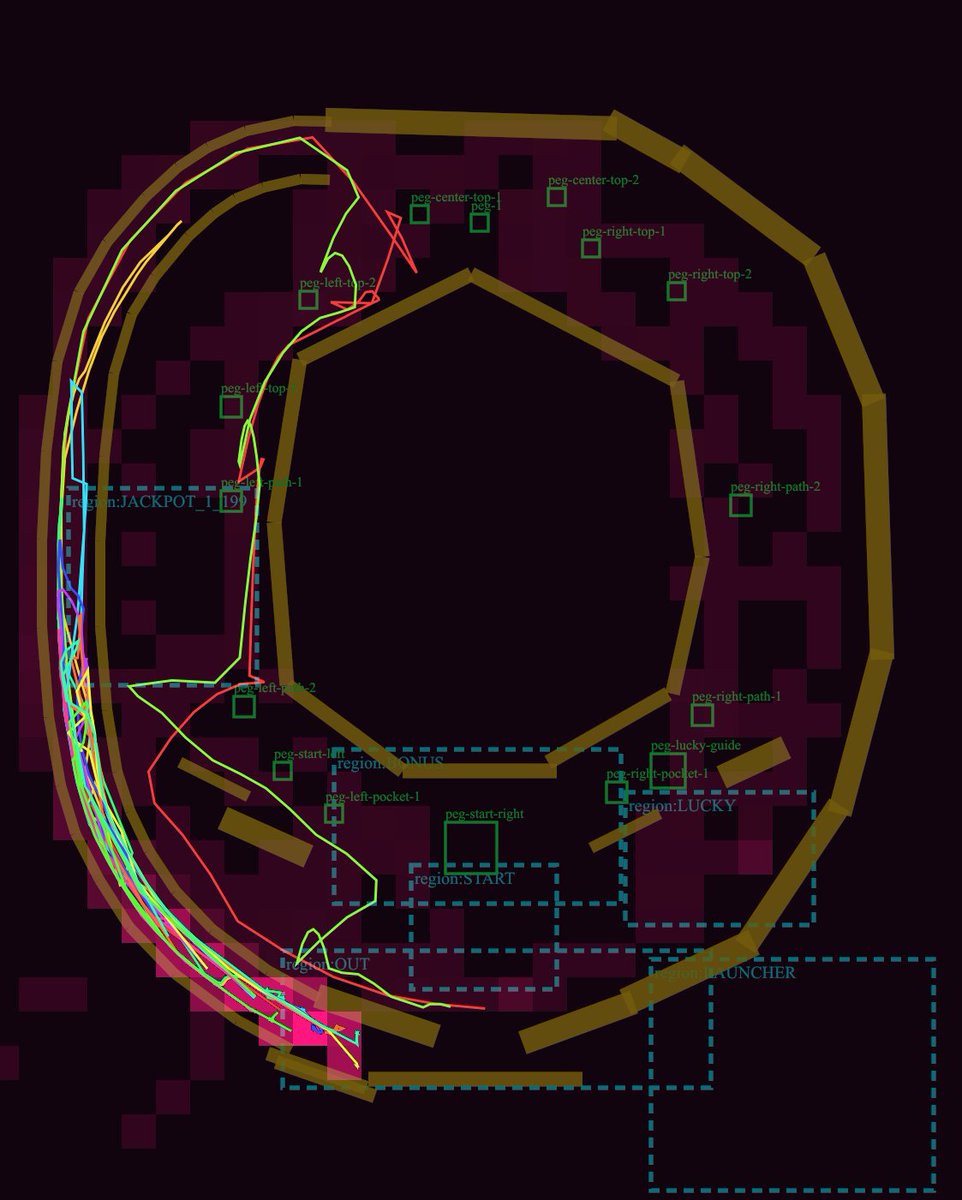
프롬프트/GPT Image 프롬프트/프롬프트 세부 정보이미지 프롬프트파칭코 물리 디버그 레이아웃게임 레이아웃 검토를 위한 레일, 페그 레이블, 점선 영역, 네온 시뮬레이션 볼 궤적이 있는 어두운 기술 파칭코 플레이필드 다이어그램입니다.이 프롬프트는 참조 이미지와 함께 사용되었습니다이 프롬프트 사용좋아요9조회1,875북마크5이 프롬프트를 저장하거나 친구와 공유하세요.프롬프트 공유프롬프트복사Goal: Create a dark technical debug visualization of a pachinko machine playfield layout, showing ball lanes, collision rails, pegs, named gameplay regions, and simulated ball trajectories. Canvas: Square-ish 4:5 technical diagram on a nearly black burgundy background, with a transparent-engineering-overlay feel. Use a dark maroon grid of blocky rectangular obstacle silhouettes behind the layout. Main layout: Draw a large pachinko board occupying almost the full canvas. The board is formed by thick angular golden-brown rails: one large outer oval/octagonal loop around the perimeter, one large inner polygonal ring around an empty central dark void, and several short rail segments near the bottom and lower-right. Keep the rails chunky, beveled, and slightly translucent, like debug collision geometry. Trajectory paths: Add exactly 5 thin neon ball-path traces over the rails and lanes: 1 cyan path hugging the far-left launch lane, 1 hot pink path weaving near the left edge and bottom exit, 1 lime green path that curves from the upper-left across the mid-left and down to the bottom, 1 red path that crosses sharply through the left-middle and upper-left, and 1 yellow path following the outer left arc. The paths should overlap and look like simulated pachinko ball travel, with sharp turns and curved segments. Debug regions: Draw dashed cyan rectangular region boxes with small cyan labels. Include exactly 7 labeled regions: "region:JACKPOT_1" at left-middle, "region:STATIC" near the lower-left/middle, "region:START" centered lower-middle, "region:LUCKY" right-lower-middle, "region:LAUNCHER" bottom-right, "region:OUT" lower-left exit area, and one tall dashed launch/channel region along the left side. Pegs and labels: Add exactly 15 small green square peg markers with green debug labels. Place them around the central playfield: 2 near the upper-left labeled "peg-left-top-1" and "peg-left-top-2"; 3 near the top center labeled "peg-center-top-1", "peg-center-top-2", and "peg-1"; 3 on the upper-right labeled "peg-right-top-1", "peg-right-top-2", and "peg-right-path-2"; 3 on the lower-right/lower-middle labeled "peg-right-path-1", "peg-lucky-guide", and "peg-right-pocket-1"; 4 in the lower-left/lower-middle labeled "peg-left-path-1", "peg-left-pocket-1", "peg-start-left", and "peg-start-right". Make labels small, thin, and green, as if from a game-engine editor overlay. Additional details: Include one tiny cyan number box reading "19" near the left-middle jackpot area. Add a few small red guide triangles and line fragments near the top-left lane. The diagram should look like a GPT-generated game-layout review screenshot rather than polished UI art. Visual style: Low-light debug render, dark maroon and black palette, golden collision rails, cyan dashed UI overlays, green peg annotations, neon trajectory lines. No photorealism, no characters, no real pachinko machine cabinet, no decorative anime art. Customizable concept: Build the layout as a {argument name="machine type" default="pachinko"} physics debug map titled by implication around {argument name="gameplay focus" default="ball trajectory and lane review"}. Use rail color {argument name="rail color" default="muted golden brown"}, background color {argument name="background color" default="near-black burgundy"}, and trajectory colors {argument name="trajectory colors" default="cyan, hot pink, lime green, red, yellow"}.프롬프트 보기