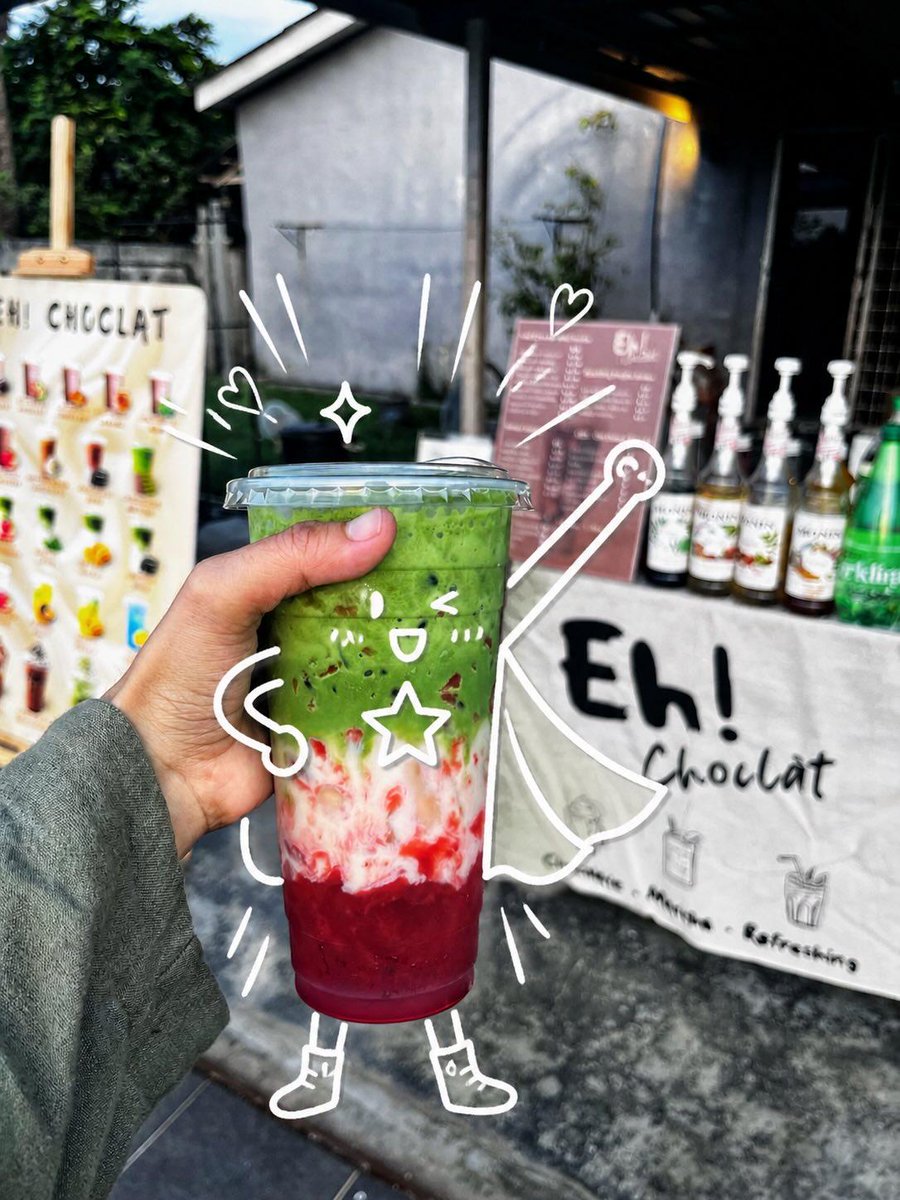
프롬프트/GPT Image 프롬프트/프롬프트 세부 정보이미지 프롬프트귀여운 슈퍼히어로 음료 낙서 사진컵을 장난기 넘치는 슈퍼히어로 캐릭터로 바꾸는 장난기 넘치는 흰색 낙서로 향상된 사실적인 휴대용 카페 음료 사진을 생성합니다.이 프롬프트는 참조 이미지와 함께 사용되었습니다이 프롬프트 사용좋아요213조회7,923북마크125이 프롬프트를 저장하거나 친구와 공유하세요.프롬프트 공유프롬프트복사Create a realistic handheld street-food photo of a layered iced drink in a clear plastic takeaway cup with a domed flat lid, held close to the camera by a left hand wearing a muted gray-green long sleeve. The drink has three vivid layers: a deep ruby-red fruit base at the bottom, a cloudy white creamy middle with red streaks, and a thick bright matcha-green top with small dark specks. Set the scene outdoors in front of a small dessert drink stall, with shallow depth of field and natural daylight; the background should be softly blurred but still show a white sign reading “Eh! Chocolat,” a pink menu board, syrup bottles lined up on the counter, a green bottle at the right, and a colorful menu display at the left. Add playful white hand-drawn doodles directly over the photo so the cup becomes a cute superhero character: one kawaii face on the cup with two eyes, one open smile, two blush-mark groups, and one outlined star on its body; two noodle-like arms, two simple legs, and two small boots; one flowing cape extending to the right; one wand or magic staff with a circular tip; two small hearts, one four-point sparkle, and nine short motion/emphasis strokes around the cup. Keep the doodles casual, imperfect, bright white, and integrated with the subject as if sketched on top of the photograph. Use a vibrant candid smartphone photography look, high contrast, crisp focus on the drink and hand, blurred café-stall background, and a cheerful whimsical mood. Customize the stall sign text as {argument name="stall sign text" default="Eh! Chocolat"}, the drink top color as {argument name="drink top color" default="bright matcha green"}, the drink bottom color as {argument name="drink bottom color" default="deep ruby red"}, the doodle color as {argument name="doodle color" default="white"}, and the sleeve color as {argument name="sleeve color" default="muted gray-green"}.프롬프트 보기