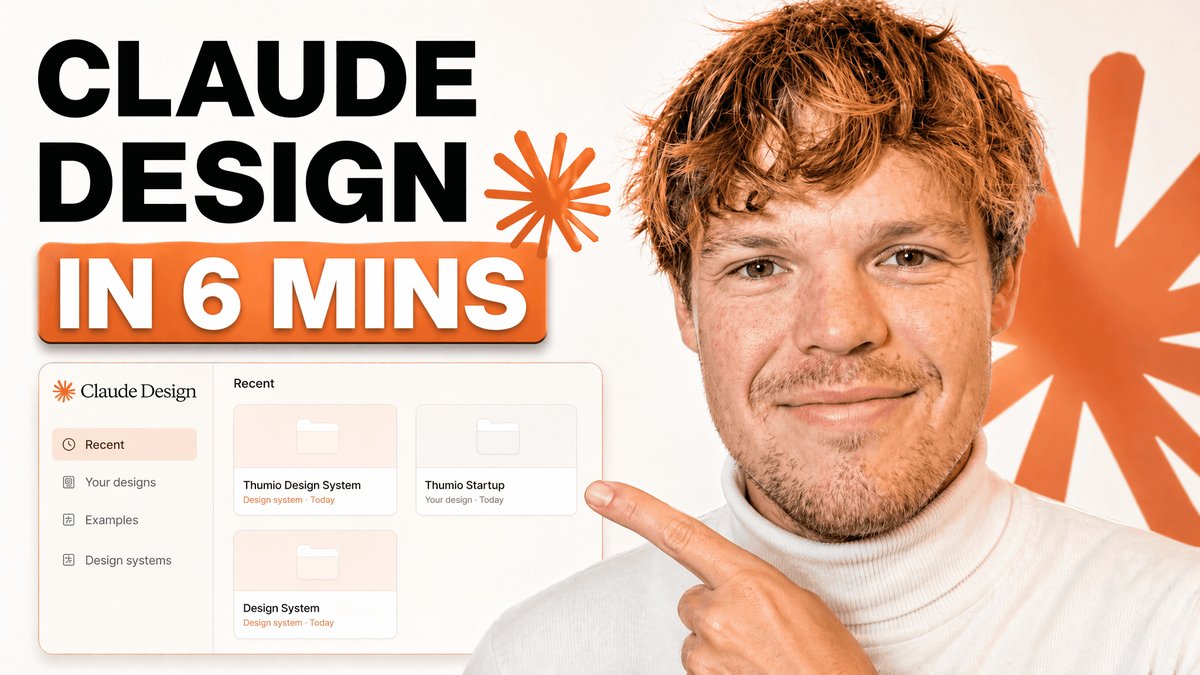
프롬프트/GPT Image 프롬프트/프롬프트 세부 정보이미지 프롬프트UI 목업이 있는 기술 튜토리얼 썸네일튜토리얼 헤드라인, 디자인 앱 대시보드 목업, 인터페이스를 가리키는 발표자를 특징으로 하는 대담한 YouTube 스타일 썸네일로, 브랜딩 또는 디자인 시스템 콘텐츠에 사용됩니다.이 프롬프트는 참조 이미지와 함께 사용되었습니다이 프롬프트 사용좋아요421조회81,715북마크156이 프롬프트를 저장하거나 친구와 공유하세요.프롬프트 공유프롬프트복사A clean modern YouTube thumbnail on a bright white background, split visually between bold text on the left and a cropped presenter on the right. On the left, place a massive stacked headline in heavy black sans-serif uppercase reading {argument name="headline text" default="CLAUDE DESIGN"}, aligned top-left across two lines. Below it, add a large rounded rectangular orange banner with a subtle drop shadow containing bold white uppercase text with an orange outline that reads {argument name="subheadline text" default="IN 6 MINS"}. Near the headline, include 2 orange starburst spark shapes, one small beside the text and one much larger in the far right background. In the lower-left quadrant, show a floating app interface mockup for a design tool dashboard with a soft off-white panel, thin borders, rounded corners, and a faint shadow. The interface should have a left sidebar with 4 menu items labeled exactly: "Recent", "Your designs", "Examples", and "Design systems". The main panel header should say "Recent" and contain 3 project cards arranged in a grid, labeled exactly: "Thumio Design System", "Thumio Startup", and "Design System". On the right half, show a cropped photorealistic young adult man from chest up wearing a white turtleneck sweater, with messy light brown hair and light facial hair, positioned close to camera. His face is intentionally obscured by a solid tan rectangle placeholder covering most of the face area. He points with one hand toward the interface panel on the left, finger extended. Use a warm orange and white brand palette, high contrast, minimal clutter, polished creator-economy thumbnail styling, subtle shadows, and a composition designed for tech tutorial content.프롬프트 보기