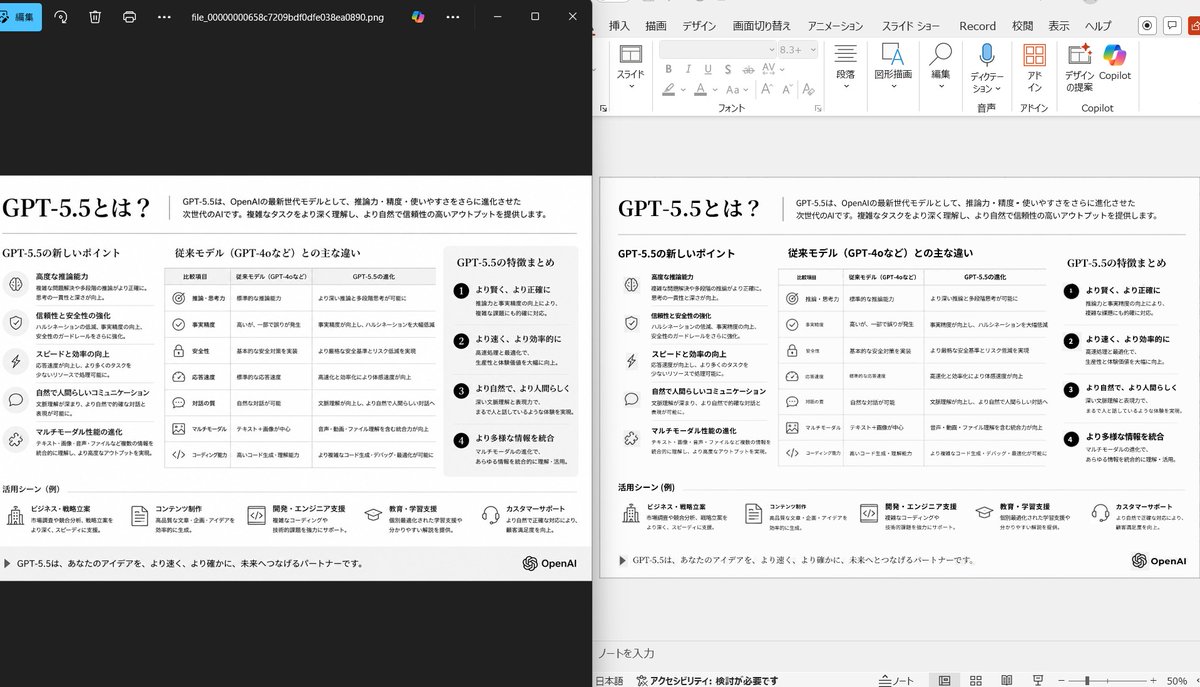
提示词/GPT Image 提示词/提示词详情图片提示词并排 PPT 重建演示此提示词生成逼真的对比截图,展示凌乱参考幻灯片被清理为忠实还原的 PowerPoint 重建版,适用于幻灯片转 PPT 演示。这条提示词使用了参考图片立即使用点赞277浏览49,527收藏344保存这条提示词,或分享给朋友。分享提示词提示词复制Using the provided reference image of the PowerPoint slide screenshot, recreate it as a clean, polished slide conversion result inside a side-by-side desktop comparison. Keep the same Japanese slide topic and overall layout, but remove the dense selection handles, edit boxes, and malformed vector artifacts from the reference so the slide appears properly reconstructed. Show 2 panels: on the left, a dark image viewer window displaying the exported slide image; on the right, the same slide opened in PowerPoint editing view. Preserve the original monochrome infographic style and Japanese text structure, but make the typography legible and the icons, dividers, and columns cleanly aligned. Keep the slide as a single-page infographic with 5 main content areas: 1 top title/header row, 3 mid-page comparison columns, 1 bottom use-case row containing 5 icon-labeled items. Include a footer line and the OpenAI logo at bottom right. Emphasize that this is a faithful PPT reconstruction from the uploaded image, with a realistic Windows desktop app screenshot look.展开提示词