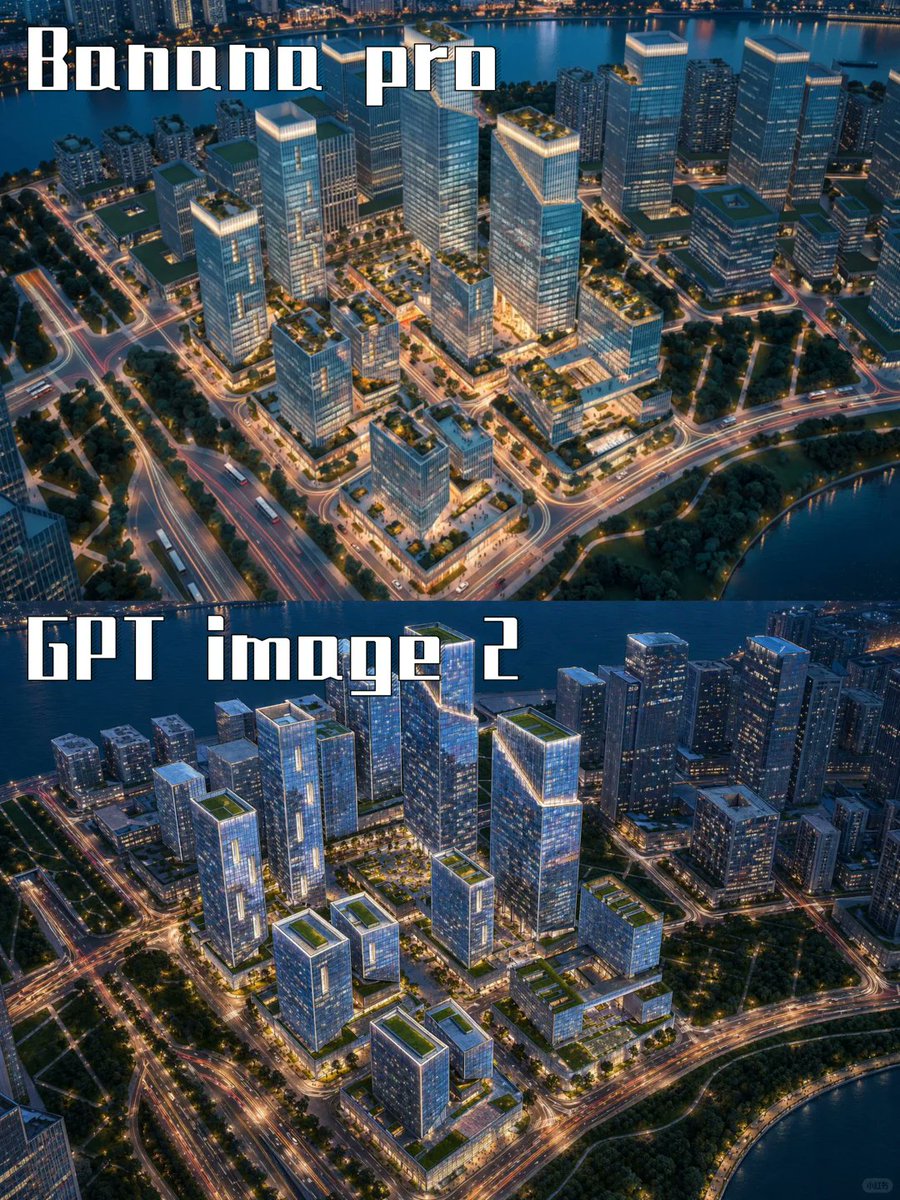
프롬프트/GPT Image 프롬프트/프롬프트 세부 정보이미지 프롬프트AI 도시 렌더링 비교 포스터시각적 스타일 테스트를 위해 두 개의 AI 모델 이름이 표시된 2패널 항공 해안 도시 비교 포스터를 만듭니다.이 프롬프트는 참조 이미지와 함께 사용되었습니다이 프롬프트 사용좋아요1조회121북마크0이 프롬프트를 저장하거나 친구와 공유하세요.프롬프트 공유프롬프트복사Goal: Create a vertical side-by-side comparison poster showing two AI-generated aerial city renderings, one above the other, for a visual model comparison between {argument name="top model label" default="Banana pro"} and {argument name="bottom model label" default="GPT image 2"}. Canvas: Portrait 3:4 image, approximately 768×1024 px. Split the canvas into exactly 2 equal horizontal panels with no border or margin between them. Layout: The top panel fills the upper half and the bottom panel fills the lower half. Each panel shows a similar futuristic waterfront business district at blue-hour dusk from a high oblique aerial view. Place exactly 2 large text labels: the top label in the upper-left corner reading “Banana pro”, and the bottom label in the upper-left area of the lower panel reading “GPT image 2”. Use a tall, blocky, condensed white display font with a dark shadow or outline, similar to retro stencil/gaming typography. Top panel scene: A polished architectural visualization of a modern urban development beside a river or bay. Include approximately 12 prominent glass office towers and mid-rise blocks arranged on a gridded campus, with glowing rooftop edges, landscaped green roofs, tree-lined roads, and warm street lighting. Show water along the top edge and lower-right edge, with distant city buildings beyond the water. Roads have orange and white light trails, creating a lively night-city effect. Bottom panel scene: A second version of the same waterfront district, slightly darker and more dramatic, with approximately 14 prominent glass towers and mid-rise buildings. Use cooler blue glass reflections, brighter illuminated windows, stronger road-light trails, green rooftop gardens, and a river or bay curving along the top and lower-right edges. Make the composition visibly similar to the top panel but not identical, so it feels like two different AI model outputs from the same prompt. Visual style: Hyper-detailed aerial architectural rendering, realistic but slightly idealized, cinematic dusk lighting, blue and teal shadows, warm golden streetlights, crisp glass facades, dense urban planning, marina/waterfront atmosphere, high contrast, sharp perspective, no people visible. Constraints: Use exactly 2 stacked comparison panels and exactly 2 visible text labels. Keep the labels large, readable, and white with dark outline/shadow. Do not add logos, UI elements, watermarks, captions, or extra text.프롬프트 보기