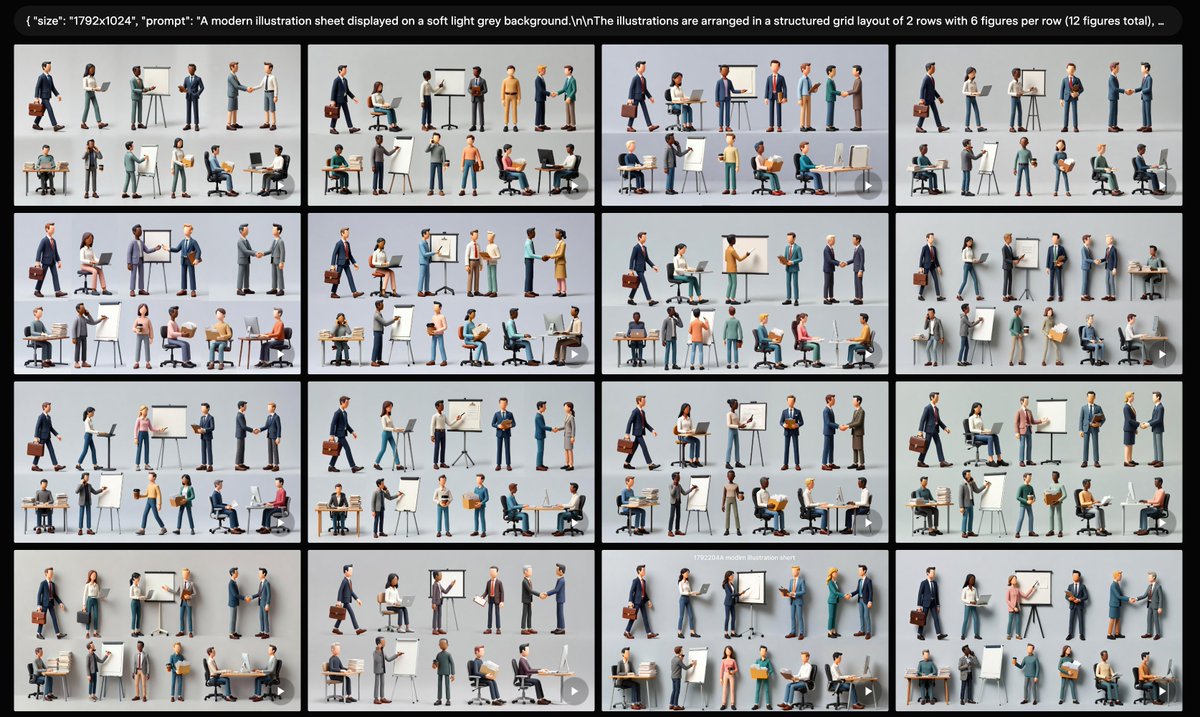
프롬프트/GPT Image 프롬프트/프롬프트 세부 정보이미지 프롬프트비즈니스 캐릭터 시트 갤러리프레젠테이션 또는 UI 목업 사용을 위한 현대 3D 비즈니스 캐릭터 시트의 16개 썸네일 변형으로 채워진 와이드 AI 갤러리 스크린샷을 만듭니다.이 프롬프트는 참조 이미지와 함께 사용되었습니다이 프롬프트 사용좋아요1조회170북마크0이 프롬프트를 저장하거나 친구와 공유하세요.프롬프트 공유프롬프트복사Goal: Create a wide screenshot-style gallery view showing multiple generated variations of the same modern business illustration sheet. Canvas: Wide 16:9 image, {argument name="canvas size" default="1792x1024"}, with a black application-like background and thin gutters between image tiles. At the very top, include a rounded black prompt bar containing small white monospaced text beginning with a visible JSON-style snippet: {argument name="visible prompt text" default="{\"size\": \"1792x1024\", \"prompt\": \"A modern illustration sheet displayed on a soft light grey background.\\nThe illustrations are arranged in a structured grid layout of 2 rows with 6 figures per row (12 figures total), ...\"}"}. Layout: Show exactly 16 rectangular thumbnail tiles arranged in a 4 by 4 grid beneath the prompt bar. Each tile has a soft light gray background and depicts a miniature illustration sheet. The thumbnails are similar but not identical, like generated variations. Use narrow black spacing between tiles and slightly rounded tile corners. Add a subtle small translucent circular play/arrow icon at the lower-right corner of many tiles, as if they are preview cards in a generation interface. Thumbnail content: Inside each of the 16 tiles, show exactly 12 stylized 3D business figures arranged as 2 rows with 6 figures per row. The people should be diverse in gender, skin tone, age, and clothing, wearing modern office attire such as navy suits, gray blazers, teal trousers, skirts, shirts, sweaters, and business shoes. Include business props throughout the figures: laptops, desks, office chairs, briefcases, clipboards, cardboard boxes, easel flip charts, whiteboards, markers, presentation boards, handshake poses, walking poses, seated computer-work poses, and standing discussion poses. Keep every figure isolated like a clean character-sheet element rather than a continuous scene. Visual style: Polished semi-realistic 3D illustration, soft studio lighting, subtle shadows under each character, clean corporate presentation aesthetic, muted colors with navy, gray, white, teal, tan, and small accent colors. The overall composition should look like a screen capture of an AI image generation results page, not a single poster. Constraints: Keep the top prompt bar legible enough to read the beginning, but it may truncate toward the right. Use exactly 16 gallery thumbnails, and within each thumbnail use exactly 12 business figure vignettes in a 2-row by 6-column arrangement. Do not add logos, watermarks, extra interface panels, or unrelated text beyond the top prompt bar.프롬프트 보기