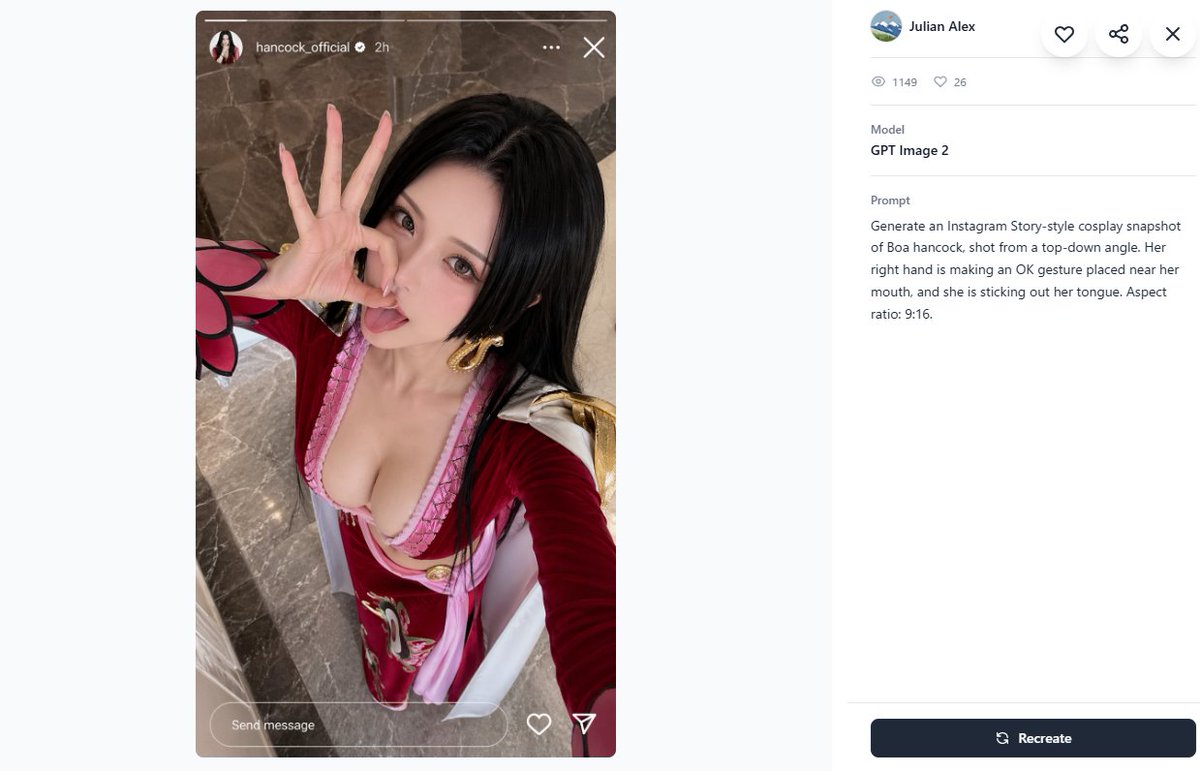
프롬프트/GPT Image 프롬프트/프롬프트 세부 정보이미지 프롬프트코스프레 프롬프트 갤러리 스크린샷인스타그램 스토리 스타일 코스프레 셀카와 GPT Image 2 메타데이터 패널을 특징으로 하는 데스크톱 프롬프트 갤러리 페이지를 생성합니다.이 프롬프트는 참조 이미지와 함께 사용되었습니다이 프롬프트 사용좋아요22조회1,558북마크14이 프롬프트를 저장하거나 친구와 공유하세요.프롬프트 공유프롬프트복사Create a 16:9 desktop webpage screenshot of a prompt-gallery detail page showing one generated image on the left and its metadata on the right. The left side contains a tall Instagram Story-style cosplay snapshot mockup in a rounded rectangle, aspect ratio 9:16, with a realistic top-down selfie of {argument name="character name" default="Boa Hancock"} cosplay. The cosplayer is an adult woman with long straight {argument name="hair color" default="black"} hair, wearing a red and pink anime-inspired outfit with a low neckline, gold hoop earrings, white shoulder accents, and red sleeves with a pink-and-black petal-like cuff detail. Her face is intentionally obscured by a square blur/pixelated censor block, but her right hand is clearly making an OK gesture near her mouth and she appears to be sticking out her tongue behind the blur. Camera angle is high above, like a phone selfie, with polished gray-brown marble flooring in the background. Add Instagram Story UI overlays: a thin progress bar across the top, a small circular profile photo, username {argument name="Instagram username" default="hancock_official"}, a verified check, “2h”, three-dot menu, and an X close icon; at the bottom include a rounded “Send message” field plus heart and paper-plane icons. The right panel is a clean white gallery interface with a small circular avatar, the name {argument name="creator name" default="Julian Alex"}, floating circular action buttons for heart, share, and close, a stats row with exactly 2 items: an eye icon with “1149” and a heart icon with “26”, a Model section reading “GPT Image 2”, and a Prompt section containing the exact text: {argument name="visible prompt text" default="Generate an Instagram Story-style cosplay snapshot of Boa hancock, shot from a top-down angle. Her right hand is making an OK gesture placed near her mouth, and she is sticking out her tongue. Aspect ratio: 9:16."}. At the bottom right place a dark navy rounded “Recreate” button with a refresh icon. Use lots of white space, soft gray dividers, modern minimal UI styling, and make the screenshot look like a real browser/app capture rather than a polished poster.프롬프트 보기