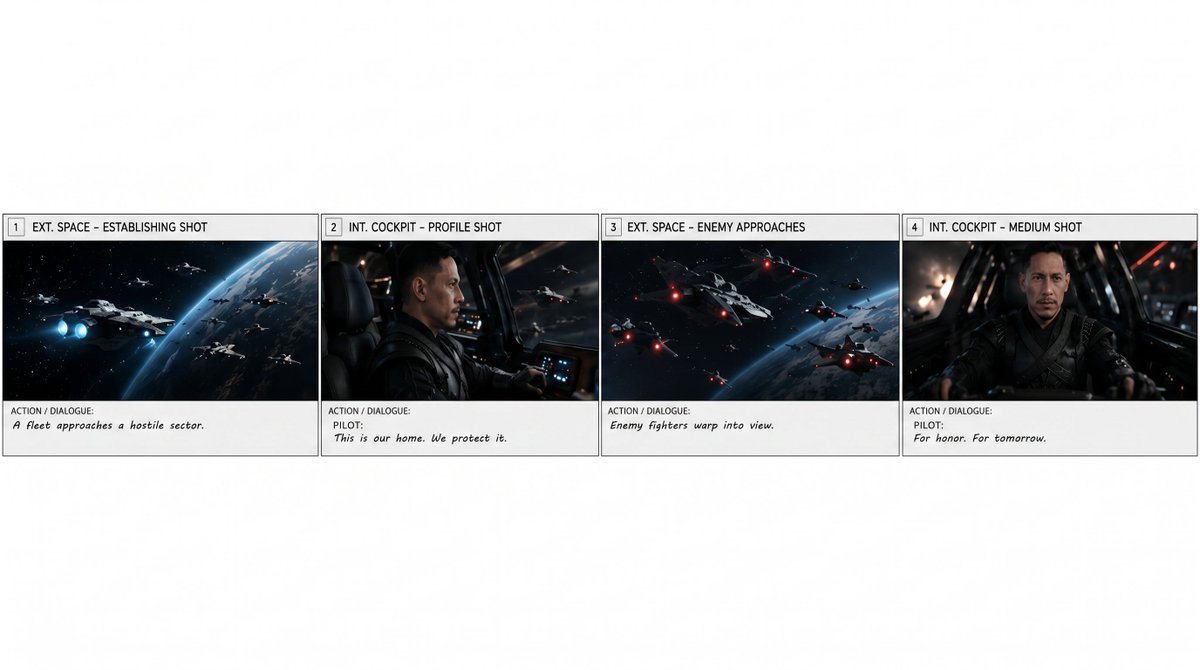
프롬프트/GPT Image 프롬프트/프롬프트 세부 정보이미지 프롬프트첫 번째 스토리보드 행 추출이미지 1/3더 큰 스토리보드의 처음 네 개의 패널에서 깨끗한 독립형 가로 스트립을 만들어 여러 장면 보드에서 하나의 장면을 분리하는 데 유용합니다.이 프롬프트는 참조 이미지와 함께 사용되었습니다이 프롬프트 사용좋아요0조회74북마크1이 프롬프트를 저장하거나 친구와 공유하세요.프롬프트 공유프롬프트복사Using REFERENCE_0 as the source storyboard, extract only the first row of the storyboard and regenerate it as a standalone horizontal storyboard strip. Keep exactly 4 panels, preserving their original artwork, panel borders, numbering, shot labels, and action/dialogue text as closely as possible: 1) “EXT. SPACE – ESTABLISHING SHOT” with “A fleet approaches a hostile sector.” 2) “INT. COCKPIT – PROFILE SHOT” with “PILOT: This is our home. We protect it.” 3) “EXT. SPACE – ENEMY APPROACHES” with “Enemy fighters warp into view.” 4) “INT. COCKPIT – MEDIUM SHOT” with “PILOT: For honor. For tomorrow.” Remove the overall storyboard header, project/director/date information, and all panels after number 4. Place the four extracted panels in one clean row across the lower-middle of a wide white canvas, with generous blank white space above and around the strip. Do not add new imagery, new titles, watermarks, or extra panels. Optional customization: extract panels {argument name="panel range" default="1–4"} from the storyboard for a {argument name="scene duration" default="15-second scene"}.프롬프트 보기