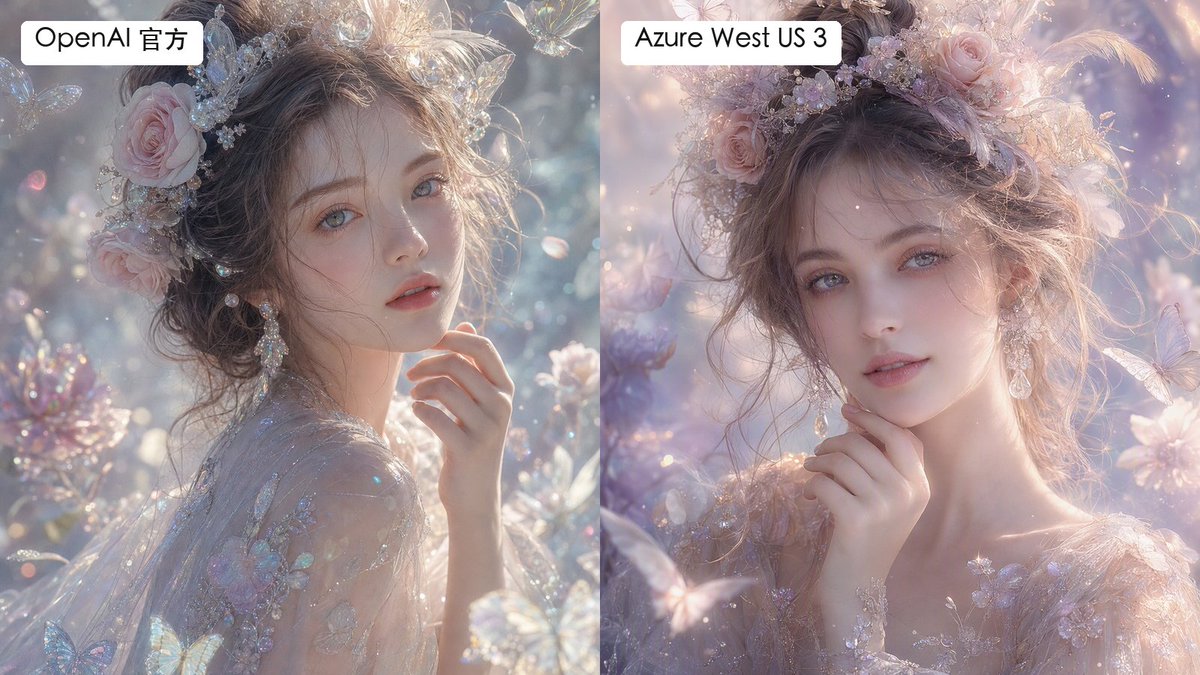
프롬프트/GPT Image 프롬프트/프롬프트 세부 정보이미지 프롬프트분할 판타지 초상화 비교이미지 1/2질감과 부드러움의 미묘한 차이가 있는 몽환적인 판타지 초상화 렌더링의 레이블이 지정된 2단 비교를 생성합니다.이 프롬프트는 참조 이미지와 함께 사용되었습니다이 프롬프트 사용좋아요0조회45북마크0이 프롬프트를 저장하거나 친구와 공유하세요.프롬프트 공유프롬프트복사Create a side-by-side comparison image showing two versions of the same dreamy fantasy portrait. Canvas is a horizontal 16:9 split-screen composition with a perfectly vertical divide down the center, no gap, left panel and right panel each occupying exactly half the image. In both panels, depict the same ethereal young woman in a luminous fairytale garden, shown as a close-up bust portrait with pale porcelain skin, soft gray-blue eyes, delicate lips, and loosely pinned wavy brown hair. She wears an ornate pastel floral crown with pink roses, tiny crystal flowers, pearls, translucent butterfly ornaments, and soft feathers, plus dangling crystal earrings and a sheer embroidered gown with iridescent floral appliqué. Her hand is raised gently near her chin, giving a calm, romantic, slightly wistful expression while looking toward the viewer. The scene is filled with pastel blossoms, sparkling bokeh, floating dust motes, translucent butterflies, crystal petals, and soft backlit haze. Use an ultra-detailed high-fashion fantasy photography style, shallow depth of field, pearly highlights, glittering refractions, delicate skin texture, and pastel lavender, blush pink, silver, and pale blue tones. Make the left panel slightly more textured, crisp, and detailed in skin and fabric microtexture; make the right panel slightly smoother and more airbrushed, with softer pastel lighting and gentler facial texture. Add exactly 2 label boxes: one white rounded rectangle at the top left of the left panel reading {argument name="left label" default="OpenAI 官方"}, and one white rounded rectangle at the top left of the right panel reading {argument name="right label" default="Azure West US 3"}. Use clean black sans-serif text inside the labels. Keep both portraits similar enough to clearly compare rendering differences, but not identical; avoid watermarks, logos, extra captions, borders, or additional text.프롬프트 보기