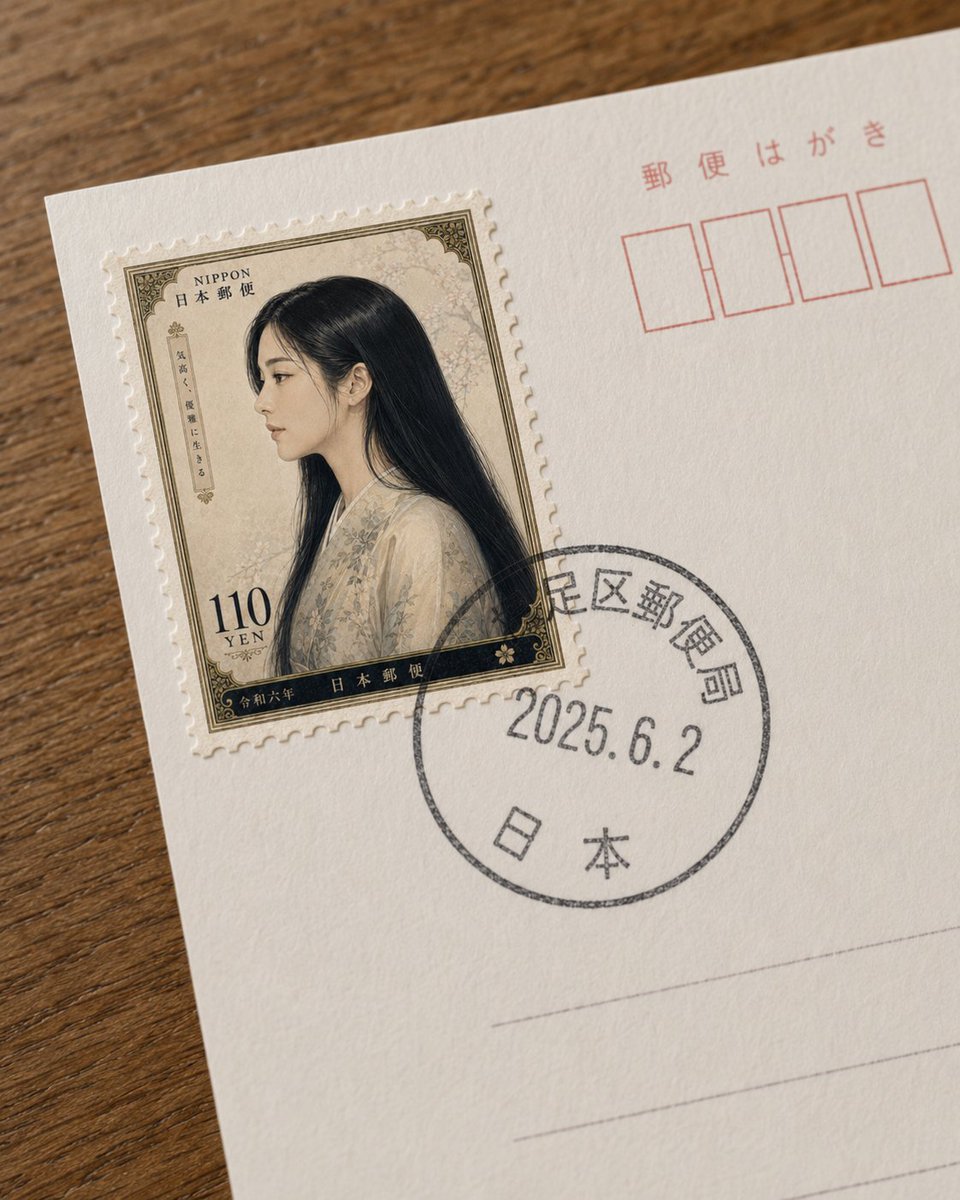
프롬프트/GPT Image 프롬프트/프롬프트 세부 정보이미지 프롬프트엽서에 가상의 일본 우표질감이 있는 엽서에 가상의 빈티지 일본 우표를 진정한 우편 마크와 함께 배치하는 사실적인 클로즈업 사진 프롬프트입니다.이 프롬프트는 참조 이미지와 함께 사용되었습니다이 프롬프트 사용좋아요9조회50북마크0이 프롬프트를 저장하거나 친구와 공유하세요.프롬프트 공유프롬프트복사Create a realistic close-up photograph of the upper-left area of a Japanese postcard lying diagonally on a warm brown wooden tabletop. The postcard is off-white, lightly textured paper, cropped so only part of the card is visible. On the left side, place one fictional Japanese postage stamp with perforated edges, slightly raised like a real adhesive stamp. The stamp design is vintage and ornate, with an antique beige floral background, dark olive-black decorative border, and a portrait of {argument name="portrait subject" default="a young Japanese woman in profile with very long straight black hair, wearing a pale cream floral kimono"}; obscure the face with a soft rectangular blur for privacy. Include visible stamp text: “NIPPON” and “日本郵便” near the top, “110 YEN” at the lower left, “令和六年” along the bottom, plus small vertical Japanese label text on the left side. Overlap the lower-right of the stamp with a black circular postal cancellation mark printed on the postcard, containing Japanese postal characters around the ring, the date {argument name="postmark date" default="2025.6.2"} in the center, and “日本” near the bottom. In the upper-right of the postcard, print red Japanese postcard markings: “郵便はがき” above exactly four empty red postal-code boxes. Add faint gray horizontal address lines in the lower-right area. Use shallow depth of field, natural daylight, subtle paper fibers, realistic shadows, and a slightly handheld smartphone-photo perspective. Keep the composition minimal and documentary, with no extra stamps, no extra objects, and no watermark.프롬프트 보기