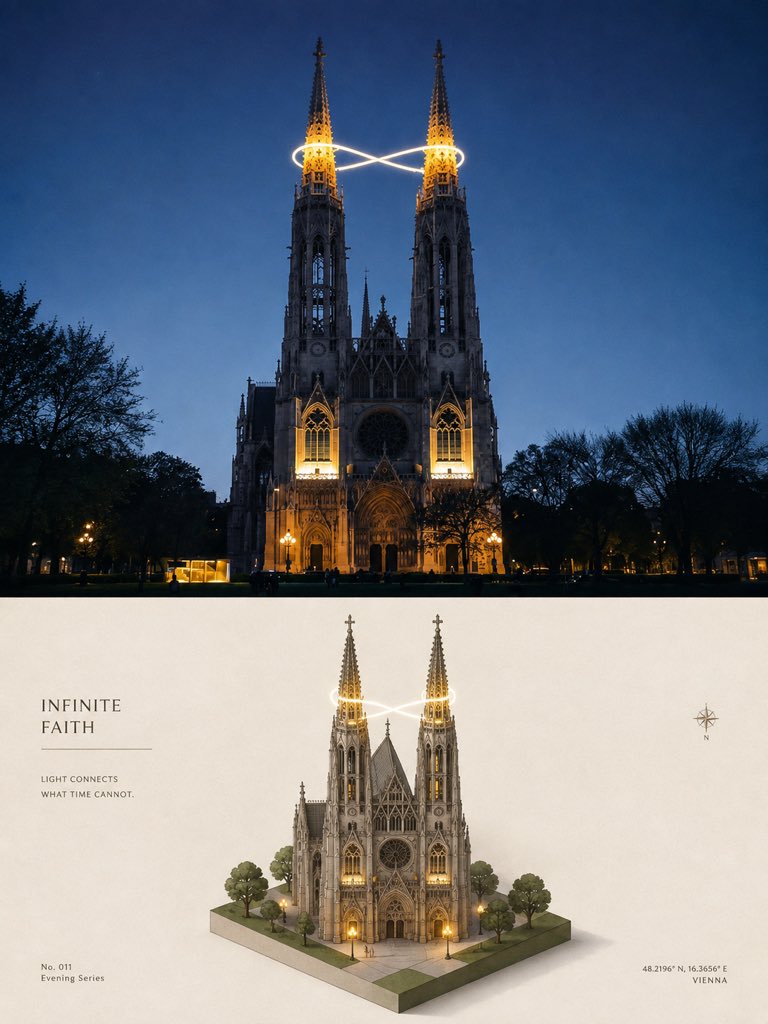
프롬프트/GPT Image 프롬프트/프롬프트 세부 정보이미지 프롬프트아이소메트릭 대성당 여행 포스터랜드마크 사진을 시네마틱 장면과 3D 아이소메트릭 미니어처 디오라마로 바꾸는 프리미엄 2패널 여행 포스터를 만듭니다.이 프롬프트는 참조 이미지와 함께 사용되었습니다이 프롬프트 사용좋아요1조회65북마크0이 프롬프트를 저장하거나 친구와 공유하세요.프롬프트 공유프롬프트복사Using the provided reference image as the layout and poster-style guide, create a new vertical 3:4 high-end travel design poster with the same two equal horizontal sections, but replace the Venetian canal subject with {argument name="landmark" default="a Gothic twin-spired cathedral in Vienna at blue-hour night"}. Top section: show a cinematic realistic travel photograph of the landmark front-on at dusk/night, with warm architectural lighting, dark tree silhouettes on both sides, deep blue sky, and a single glowing infinity-shaped light trail wrapping around the two spire tops. Bottom section: transform the same landmark into a clean 3D isometric miniature diorama on a small square base, including exactly 2 tall illuminated spires, exactly 1 central cathedral building, exactly 6 surrounding trees, paved plaza tiles, warm doorway/window lights, and the same glowing infinity light trail around the spires. Keep the minimal cream editorial background and soft shadows like the reference poster. Typography and graphic details: place a left-aligned title block in the lower half with the headline {argument name="headline text" default="INFINITE FAITH"}, a thin horizontal divider line beneath it, and the small caption {argument name="caption text" default="LIGHT CONNECTS\nWHAT TIME CANNOT."}. Add a small bottom-left label {argument name="series label" default="No. 011\nEvening Series"}. Add a small compass icon on the right side of the lower half, and place bottom-right coordinates and city text {argument name="location text" default="48.2196° N, 16.3656° E\nVIENNA"}. Use elegant serif typography, restrained spacing, premium museum-poster aesthetics, realistic-to-miniature transformation, no collage, no extra panels, no watermark.프롬프트 보기