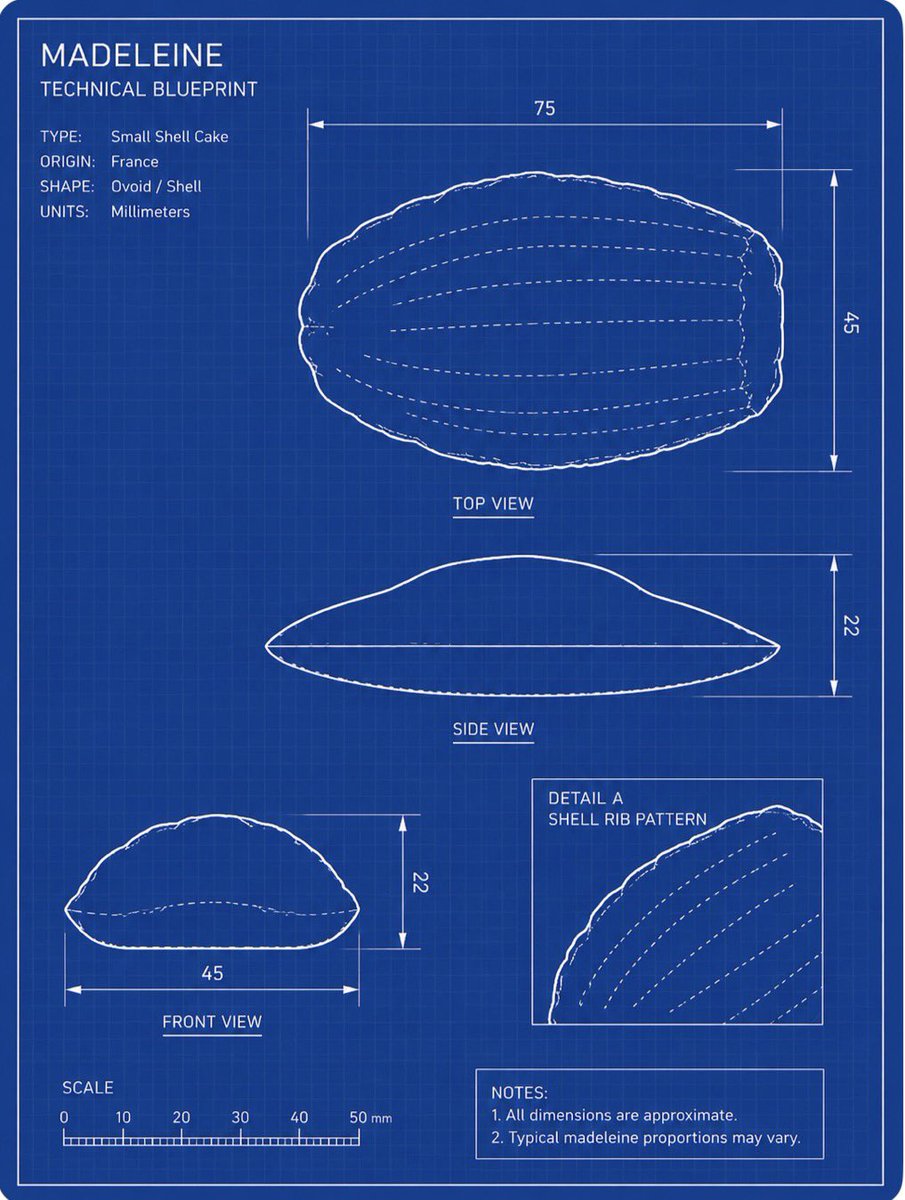
프롬프트/GPT Image 프롬프트/프롬프트 세부 정보이미지 프롬프트마들렌 기술 청사진마들렌의 참조 사진을 레이블이 지정된 뷰, 치수, 축척 및 메모가 있는 흰색 배경의 파란색 엔지니어링 청사진으로 변환합니다.이 프롬프트는 참조 이미지와 함께 사용되었습니다이 프롬프트 사용좋아요0조회17북마크0이 프롬프트를 저장하거나 친구와 공유하세요.프롬프트 공유프롬프트복사Using the provided reference image as the subject, transform the madeleine into a clean technical blueprint drawing rather than a photo. Create a vertical engineering-sheet layout on a dark blue grid background with thin white linework, a double border, measurement arrows, labels, and schematic outlines that preserve the madeleine’s shell-like oval form. Goal: Produce a blueprint titled {argument name="title text" default="MADELEINE"} with the subtitle {argument name="subtitle text" default="TECHNICAL BLUEPRINT"}. Layout: Include exactly 4 technical drawing panels derived from the reference pastry: 1 large top view at the upper right, 1 side view centered below it, 1 front view at the lower left, and 1 boxed detail inset at the lower right showing the shell rib pattern. Use white contour lines and dashed internal rib lines. Technical text: Add a specification block at upper left with exactly 4 rows: TYPE: {argument name="type label" default="Small Shell Cake"}, ORIGIN: {argument name="origin label" default="France"}, SHAPE: Ovoid / Shell, UNITS: Millimeters. Measurements: Add dimension lines and numeric labels matching a blueprint: top view width 75 and height 45, side view height 22, front view width 45 and height 22. Add a bottom-left scale ruler labeled SCALE with marks 0, 10, 20, 30, 40, 50 mm. Additional elements: Add the inset label “DETAIL A” and “SHELL RIB PATTERN”. Add a notes box at the bottom right with exactly 2 notes: “1. All dimensions are approximate.” and “2. Typical madeleine proportions may vary.” Style constraints: Do not render the pastry as a realistic food photo; convert it fully into a white-on-blue technical schematic. Keep the blueprint crisp, precise, lightly hand-drawn at the outline edges, with no extra objects, no shadows, and no watermark.프롬프트 보기