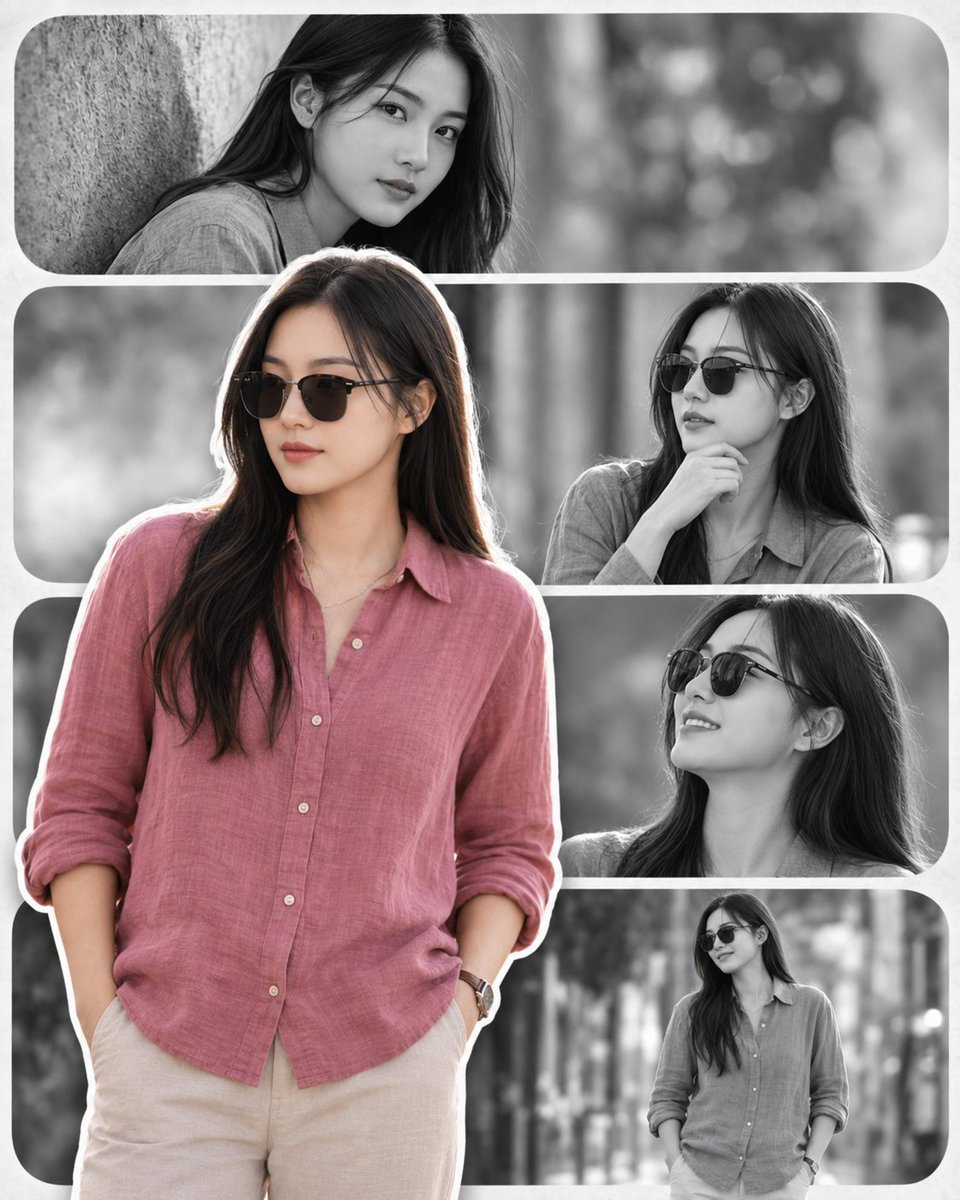
프롬프트/GPT Image 프롬프트/프롬프트 세부 정보이미지 프롬프트모던 초상화 콜라주여섯 개의 둥근 모노크롬 사진 패널 위에 한 가지 색상의 전경 인물이 레이어드된 깔끔한 편집 정사각형 초상화 콜라주를 생성합니다.이 프롬프트는 참조 이미지와 함께 사용되었습니다이 프롬프트 사용좋아요139조회4,030북마크32이 프롬프트를 저장하거나 친구와 공유하세요.프롬프트 공유프롬프트복사Create a stylish modern portrait collage of {argument name="character name" default="a young East Asian woman"} in an outdoor park or tree-lined setting, preserving the same face, long dark hair, slim build, natural makeup, and calm elegant identity across all panels. Use a square 1:1 canvas with a clean magazine-style layout made of exactly 6 rounded rectangular portrait panels separated by thick soft white gutters and rounded outer corners. Place one large full-body cutout portrait in the foreground, overlapping the collage from lower left to center: she stands casually with hands in trouser pockets, wearing dark sunglasses, a loose dusty {argument name="shirt color" default="rose pink"} linen button-up shirt with rolled sleeves, light beige trousers, and a wristwatch; add a crisp white sticker-like outline around this foreground figure. Behind her, create 5 monochrome black-and-white rounded panels: 1 wide top panel showing a close-up of her leaning against a tree and looking at camera without sunglasses; 2 middle-right panel showing her in sunglasses with one hand under her chin; 3 right-center panel showing her smiling upward in sunglasses; 4 bottom-right panel showing a smaller full-body walking/standing pose in sunglasses; 5 a large blurred grayscale background panel occupying the lower-left area behind the foreground figure. Keep the foreground figure in soft natural color while the background panels are grayscale, with shallow depth of field, blurred bokeh trees, soft cinematic daylight, gentle contrast, realistic photography, premium clean editorial design, no text, no logos, no watermark.프롬프트 보기