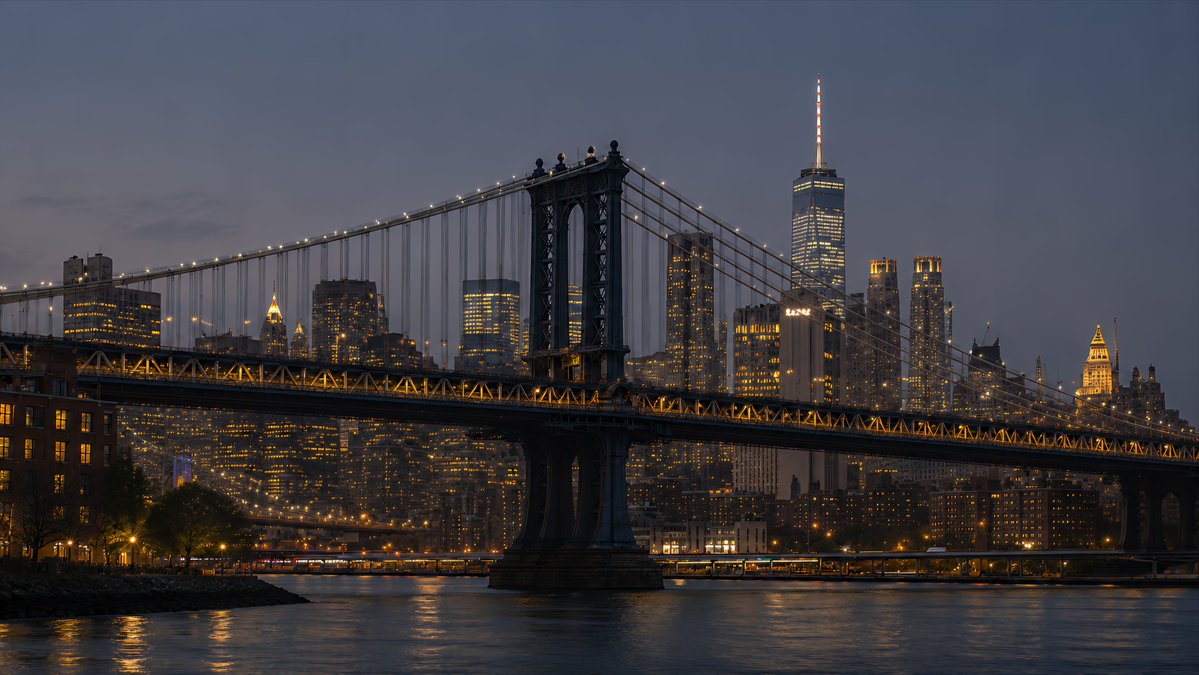
프롬프트/GPT Image 프롬프트/프롬프트 세부 정보이미지 프롬프트NYC 다리 블루 아워 배경화면스카이라인 참조를 맨해튼 다리 블루 아워 해안 장면으로 변환하여 시네마틱 16:9 포토리얼리스틱 뉴욕 데스크톱 배경화면을 만듭니다.이 프롬프트는 참조 이미지와 함께 사용되었습니다이 프롬프트 사용좋아요1조회994북마크2이 프롬프트를 저장하거나 친구와 공유하세요.프롬프트 공유프롬프트복사Using the provided New York skyline reference as the visual and lighting base, create a {argument name="resolution target" default="4K desktop wallpaper"} in a wide 16:9 composition. Change the viewpoint to a waterfront scene featuring the Manhattan Bridge spanning across the foreground, with its dark steel towers, suspension cables, and warm string lights clearly visible. Replace the original Empire State Building-centered skyline with a Lower Manhattan skyline in the background, including One World Trade Center rising prominently on the right side. Shift the mood to {argument name="time of day" default="blue hour after sunset"}: a deep muted blue-gray sky, glowing office windows, warm amber bridge lights, and soft reflections on the river. Add a calm East River foreground with subtle ripples, shoreline silhouettes, and realistic city haze for depth. Style should be photorealistic, cinematic, crisp, high-detail, polished for wallpaper use, with no people, no text, no logos, and no watermark.프롬프트 보기