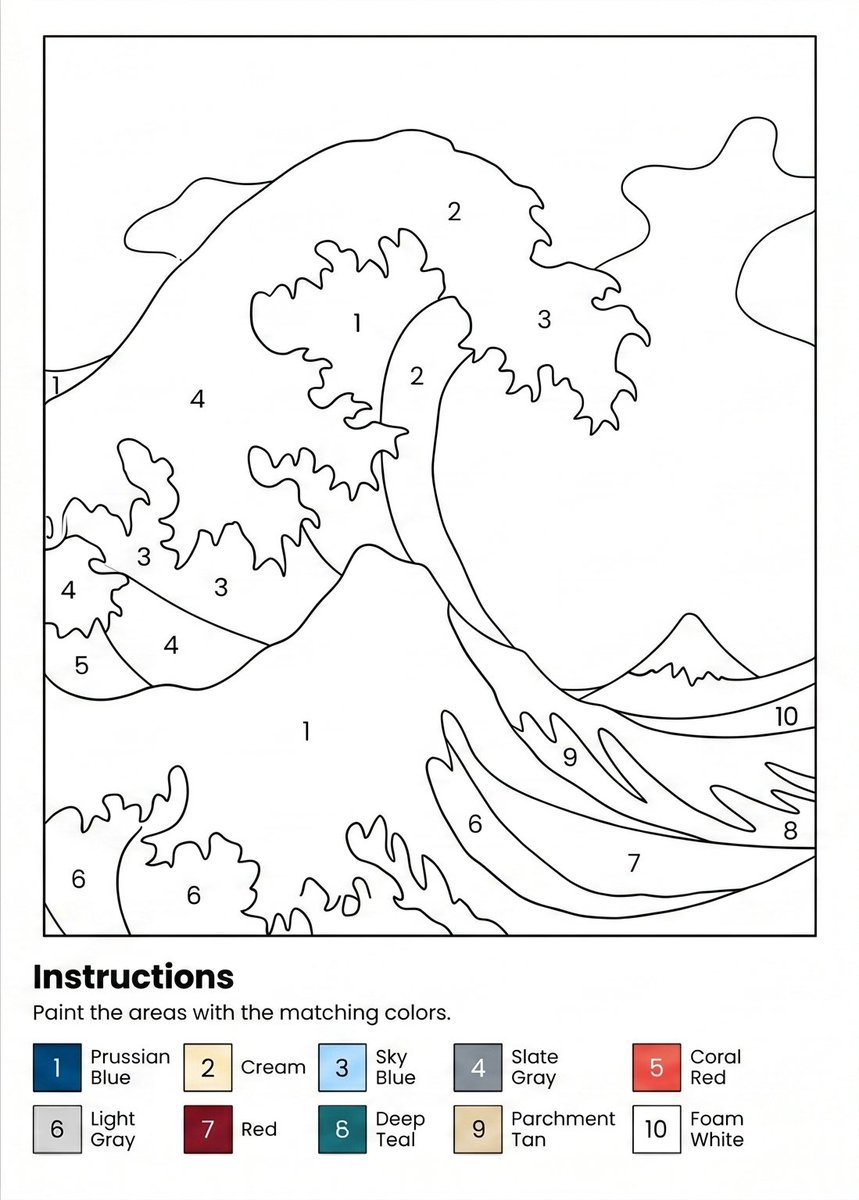
프롬프트/GPT Image 프롬프트/프롬프트 세부 정보이미지 프롬프트페인트 바이 넘버 파도 워크시트번호가 매겨진 바다 파도 일러스트레이션과 10색 범례가 있는 인쇄 가능한 A4 페인트 바이 넘버 워크시트를 생성합니다.이 프롬프트는 참조 이미지와 함께 사용되었습니다이 프롬프트 사용좋아요1조회12북마크0이 프롬프트를 저장하거나 친구와 공유하세요.프롬프트 공유프롬프트복사Create a printable paint-by-numbers worksheet on an A4 portrait page at 300 DPI. Use a clean black-and-white line-art illustration inspired by a dramatic Japanese woodblock ocean wave, with large curling waves, foamy irregular edges, a small distant mountain on the right horizon, and abstract cloud or sky shapes in the background. Keep the drawing inside a thin rectangular border with wide white margins. Divide the illustration into clearly enclosed paint regions with smooth black outlines and place centered numeric labels inside each region. Use exactly 10 paint numbers throughout the artwork, with repeated region labels where appropriate: 1 for large wave foam/white areas, 2 for cream wave crest sections, 3 for sky blue splash regions, 4 for slate gray wave/background regions, 5 for coral red small wave region, 6 for light gray lower foam regions, 7 for red lower wave band, 8 for deep teal lower-right wave band, 9 for parchment tan wave band, and 10 for foam white horizon/sky band. At the bottom below the bordered artwork, add a bold heading reading {argument name="headline text" default="Instructions"}, followed by the sentence {argument name="instruction text" default="Paint the areas with the matching colors."}. Under the instructions, include a two-row color legend with exactly 10 numbered square swatches and labels: 1 Prussian Blue, 2 Cream, 3 Sky Blue, 4 Slate Gray, 5 Coral Red, 6 Light Gray, 7 Red, 8 Deep Teal, 9 Parchment Tan, 10 Foam White. Make the legend swatches small, aligned horizontally across the page, with black numbers inside each colored square and the color names beside them. Overall style should be minimal, crisp, printer-friendly, no shading inside the artwork, no extra decorations, no watermark, and all text in a simple sans-serif font.프롬프트 보기