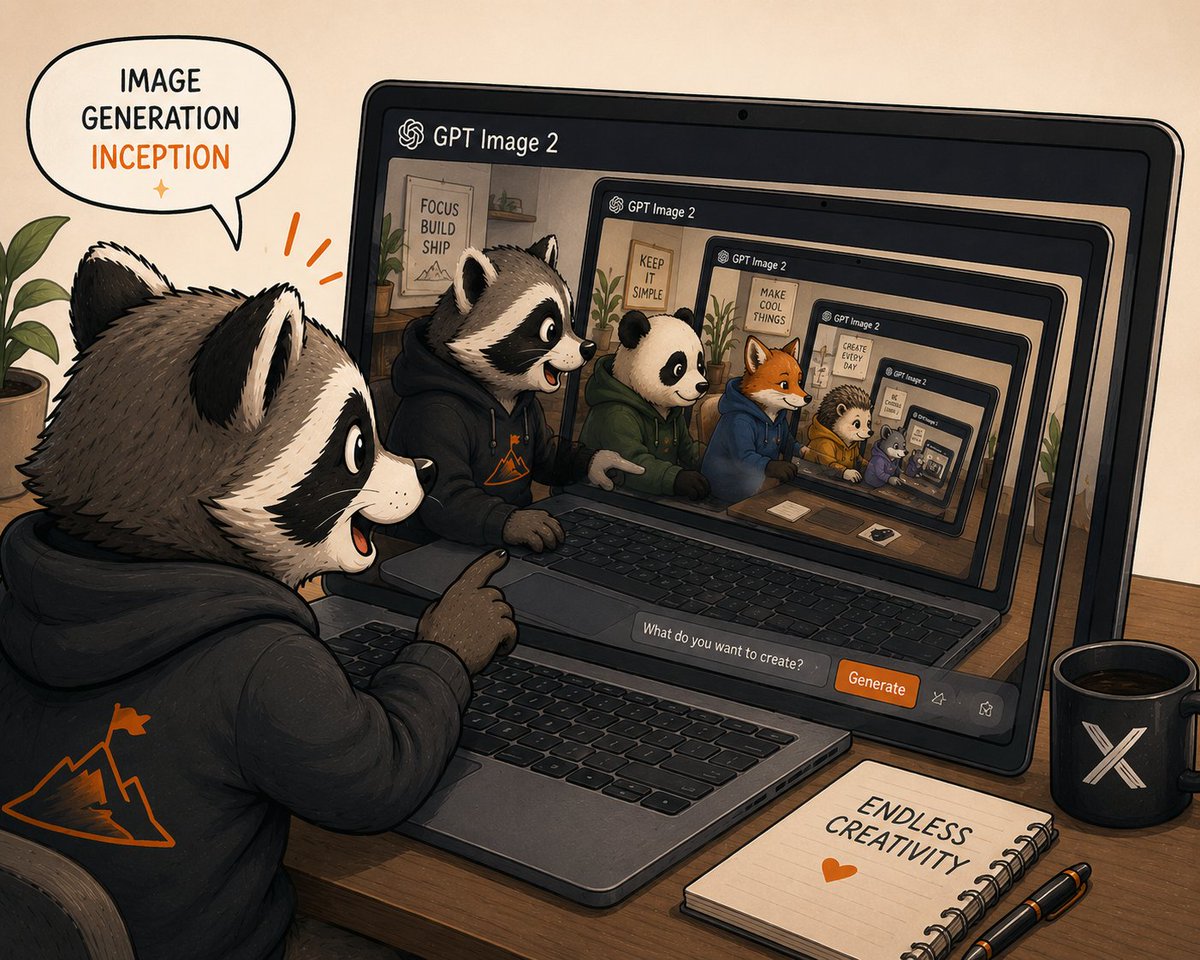
프롬프트/GPT Image 프롬프트/프롬프트 세부 정보이미지 프롬프트재귀적 GPT 이미지 2 인셉션의인화된 너구리가 노트북 안에서 무한히 중첩된 GPT 이미지 2 이미지를 생성하는 아늑한 일러스트레이션 크리에이터 장면입니다.이 프롬프트는 참조 이미지와 함께 사용되었습니다이 프롬프트 사용좋아요25조회901북마크0이 프롬프트를 저장하거나 친구와 공유하세요.프롬프트 공유프롬프트복사Create a warm hand-drawn digital illustration of recursive image generation inception, showing a cute anthropomorphic raccoon creator at a wooden desk using GPT Image 2 on a laptop. The scene is in a cozy studio with beige paper-textured background, inked outlines, soft shading, muted earth tones, and orange accent highlights. In the foreground, place 1 large raccoon character wearing a black hoodie with an orange mountain-and-flag logo on the back, sitting at the laptop and pointing excitedly at the screen with an open-mouthed smile. Add a speech bubble above the raccoon that reads “IMAGE GENERATION” in black and “INCEPTION” in orange, with a small orange sparkle beneath. On the laptop screen, show the GPT Image 2 interface with the header “GPT Image 2” and an infinite nested recursion of the same scene: exactly 6 visible screen/laptop frames receding inward, each smaller and perspective-aligned, creating a tunnel effect. Inside the main visible screen, include exactly 6 main animal characters seated side by side at desks: 1 raccoon in a black hoodie, 1 panda in a green hoodie, 1 orange fox in a blue hoodie, 1 hedgehog in a yellow hoodie, 1 small purple animal, and 1 tiny nested animal inside the deepest screen. Add motivational posters in the recursive room backgrounds with short text such as “FOCUS BUILD SHIP,” “KEEP IT SIMPLE,” “MAKE COOL THINGS,” and “CREATE EVERY DAY.” At the bottom of the laptop interface, include a prompt input field reading “What do you want to create?” and an orange button labeled “Generate,” plus two small outline action icons. On the desk, include exactly 3 prominent accessories: a black mug with a white X logo on the right, a spiral notebook reading “ENDLESS CREATIVITY” with an orange heart below it, and two black pens with orange accents. Add a leafy green plant at the far left edge and another plant visible inside the recursive screen room. Use a slightly wide 4:3 composition, dynamic perspective looking over the raccoon’s shoulder, playful creator-community mood, crisp readable text, no photorealism, no watermark. Use {argument name="app name" default="GPT Image 2"}, {argument name="speech bubble text" default="IMAGE GENERATION INCEPTION"}, {argument name="button label" default="Generate"}, {argument name="notebook text" default="ENDLESS CREATIVITY"}, and {argument name="main character" default="anthropomorphic raccoon creator"}.프롬프트 보기