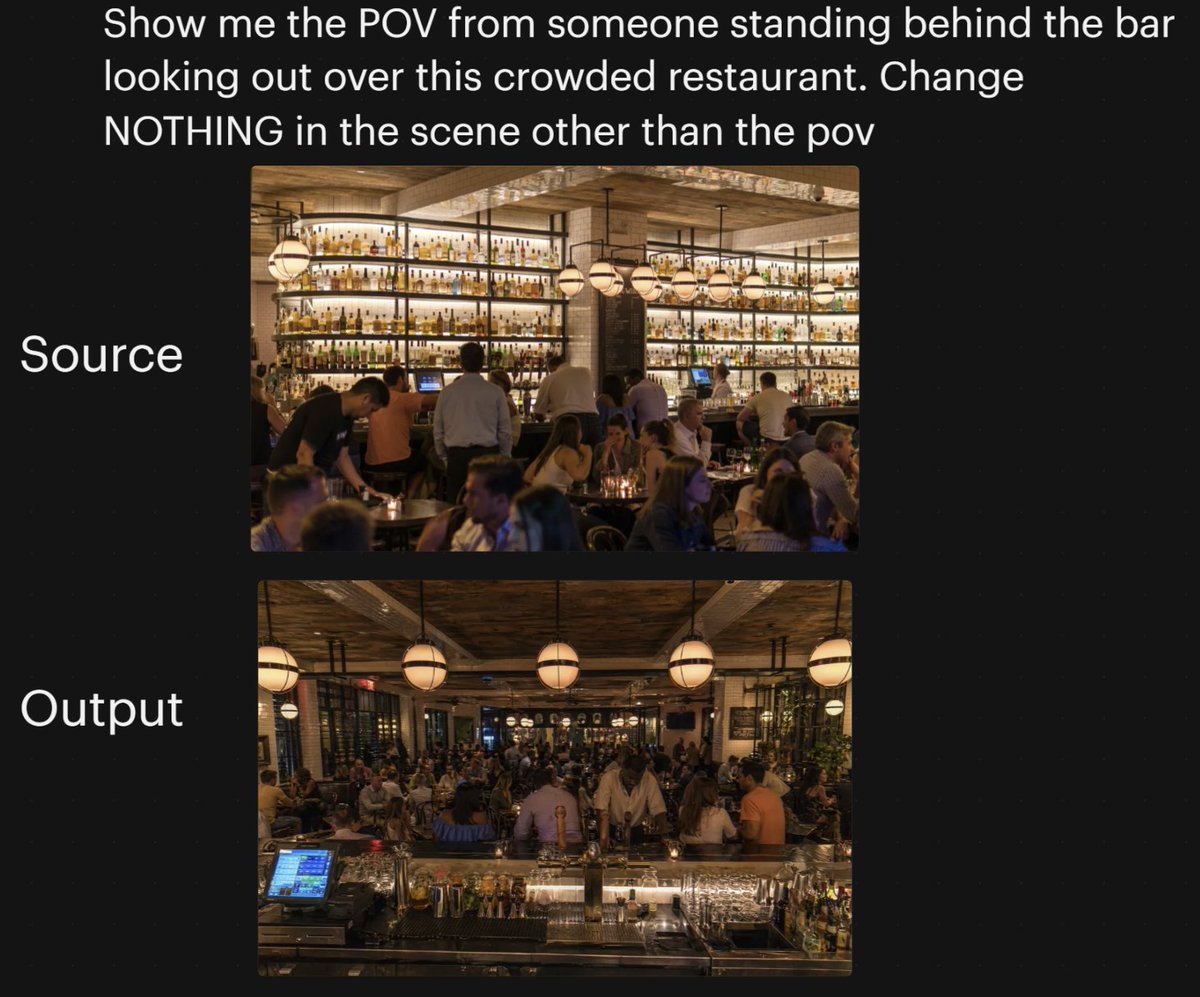
프롬프트/GPT Image 프롬프트/프롬프트 세부 정보이미지 프롬프트레스토랑 POV 변경 비교극적인 카메라 각도 변경 전후의 붐비는 레스토랑 장면을 보여주는 소셜 스타일 비교 그래픽으로, AI 시점 일관성 시연에 유용합니다.이 프롬프트는 참조 이미지와 함께 사용되었습니다이 프롬프트 사용좋아요94조회5,938북마크45이 프롬프트를 저장하거나 친구와 공유하세요.프롬프트 공유프롬프트복사A side-by-side social media comparison graphic on a dark black background, showing a camera-angle transformation test for a busy restaurant interior. At the very top, large white sans-serif text reads: {argument name="headline text" default="Show me the POV from someone standing behind the bar looking out over this crowded restaurant. Change NOTHING in the scene other than the pov"}. Below that, centered on the page, are 2 vertically stacked rectangular photos with rounded corners. To the left of the top image, large white text reads "Source"; to the left of the bottom image, large white text reads "Output". The top image shows the original restaurant scene from the customer side facing the back bar: a warm, upscale, crowded restaurant at night with a massive illuminated wall of liquor bottles on shelves, wood ceiling beams, hanging globe pendant lights, bartenders and servers working, and many seated guests in the foreground and midground. The lower image shows the same restaurant with the same lighting, décor, crowd density, bottle wall, pendant lights, and overall atmosphere, but from a new viewpoint: the camera is now standing behind the bar looking outward across the crowded dining room. In the foreground of the lower image, include the bar counter surface with glassware, bottles, metal bar tools, and a glowing POS touchscreen at front left, reinforcing the behind-the-bar POV. Keep both photos photorealistic, warm amber lighting, lively evening ambiance, and maintain the sense that the lower image is the same scene with only the camera angle changed. Add subtle social-post styling with generous margins and clean layout, suitable for a tweet screenshot or AI image comparison post.프롬프트 보기