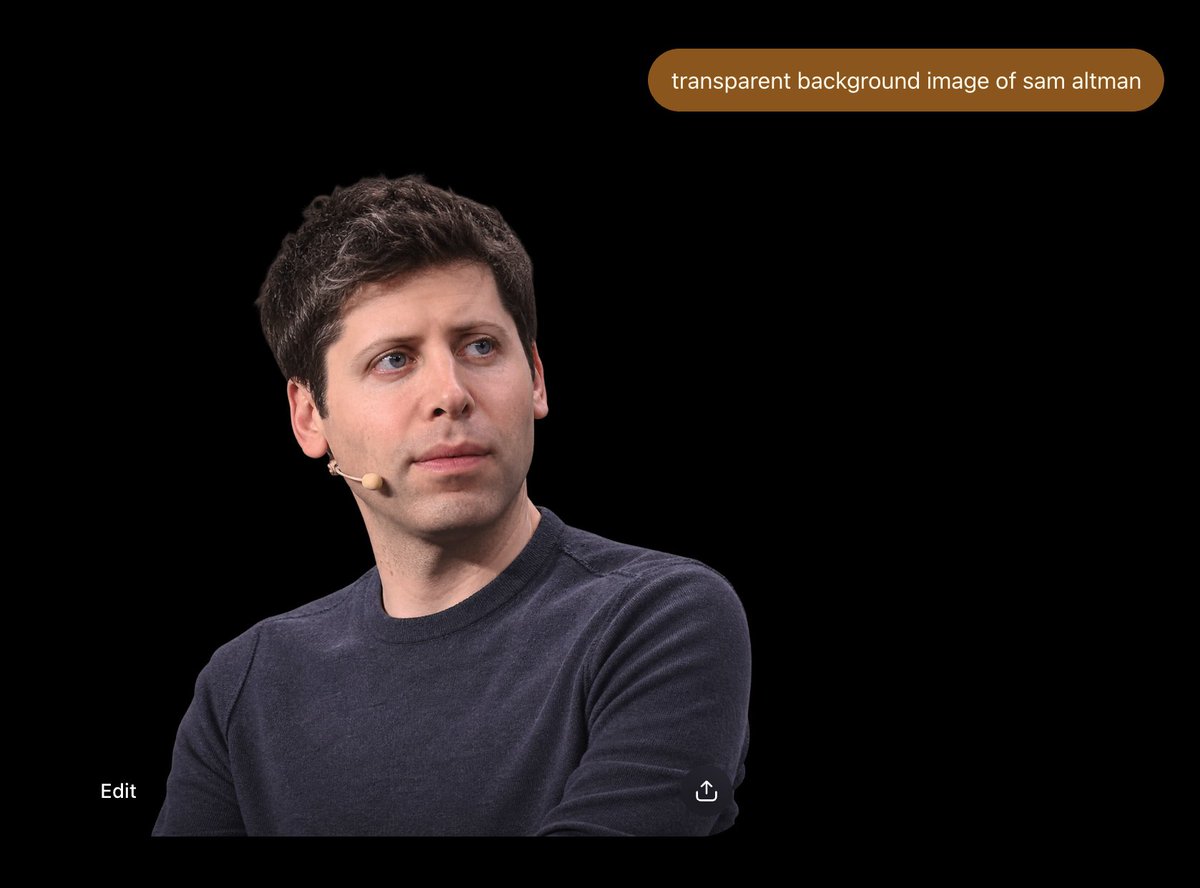
프롬프트/GPT Image 프롬프트/프롬프트 세부 정보이미지 프롬프트샘 알트먼 투명 배경 UI포토 리얼리스틱한 샘 알트먼 컷아웃과 투명 배경 생성에 대한 프롬프트 버블을 보여주는 어두운 ChatGPT 스타일 인터페이스 목업입니다.이 프롬프트는 참조 이미지와 함께 사용되었습니다이 프롬프트 사용좋아요127조회9,084북마크14이 프롬프트를 저장하거나 친구와 공유하세요.프롬프트 공유프롬프트복사Create a 4:3 widescreen screenshot-style image on a pure black canvas, resembling a dark ChatGPT image result view. Place one photorealistic cutout portrait of {argument name="person" default="Sam Altman"} in the lower-left quadrant, cropped from mid-torso upward, wearing a dark navy crewneck sweater and a small beige headset microphone on his left cheek, with short dark wavy hair, pale skin, blue eyes, and a neutral thoughtful expression while looking slightly up and to the right. The subject should occupy roughly the lower-left half of the frame, with clean edges as if isolated from a transparent-background image but displayed over black. Near the top-right, add one rounded pill-shaped brown chat prompt bubble containing exactly the white lowercase text “{argument name="prompt bubble text" default="transparent background image of sam altman"}”. Include exactly two small UI elements near the bottom: the word “Edit” in white at bottom-left, and a small white share/upload icon near the bottom-center-right. Keep the composition sparse, with no other people, no extra text, no watermark, and a realistic photo cutout aesthetic against the empty black interface.프롬프트 보기