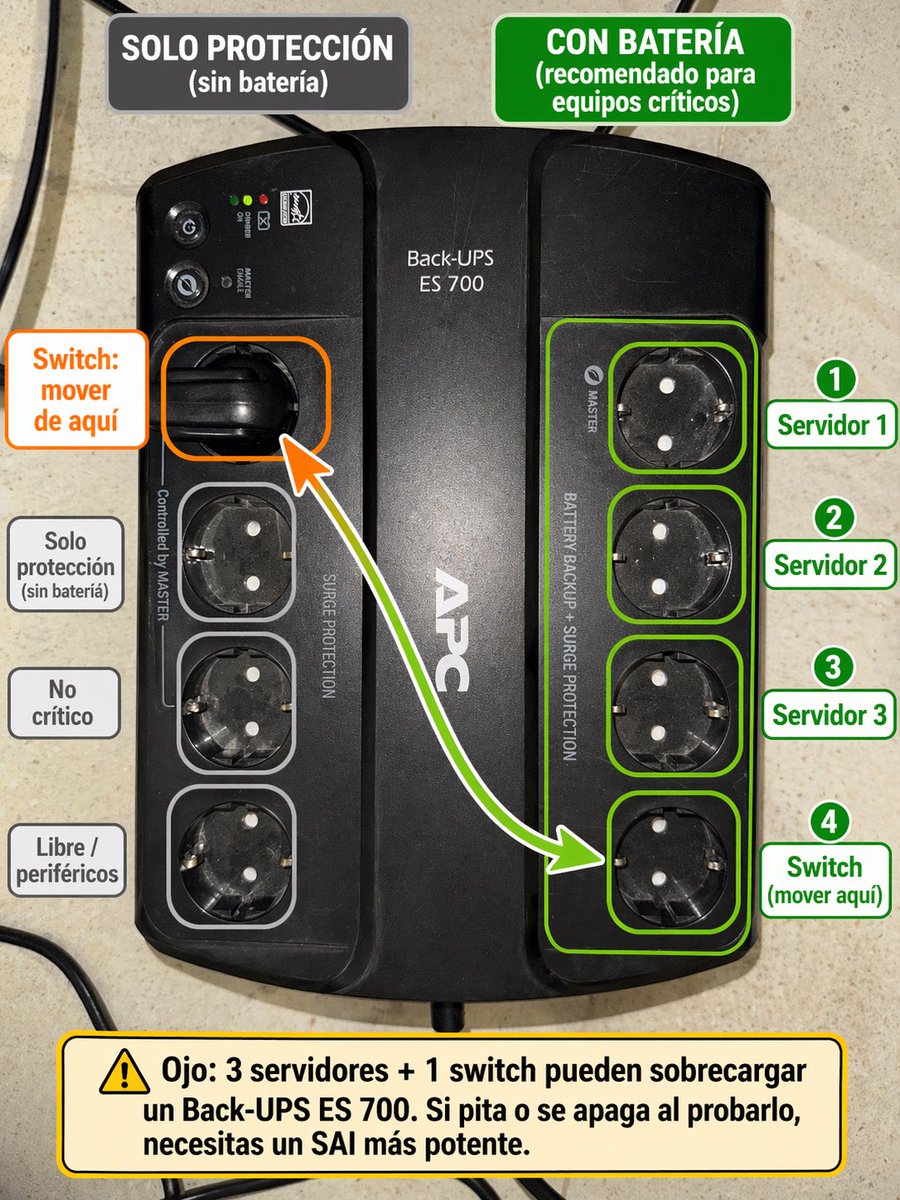
프롬프트/GPT Image 프롬프트/프롬프트 세부 정보이미지 프롬프트스페인어 UPS 콘센트 배선 인포그래픽이 프롬프트는 UPS의 참조 사진을 스위치를 옮겨야 하는 곳과 중요 장비에 사용해야 하는 소켓을 보여주는 라벨이 붙은 스페인어 교육용 다이어그램으로 변환합니다.이 프롬프트는 참조 이미지와 함께 사용되었습니다이 프롬프트 사용좋아요3조회127북마크0이 프롬프트를 저장하거나 친구와 공유하세요.프롬프트 공유프롬프트복사Using the provided reference image of the APC Back-UPS, turn it into a clear Spanish annotated setup guide overlaid directly on the photo. Keep the UPS photo realistic and unchanged as the base, but add color-coded callouts showing which outlets are battery-backed versus surge-only. At the top, add 2 header boxes: on the left a dark gray box reading "SOLO PROTECCIÓN (sin batería)", and on the right a green box reading "CON BATERÍA (recomendado para equipos críticos)". Highlight the 4 right-side outlets with a green outline group and individual green outlines, and place 4 numbered green labels on the right: "1 Servidor 1", "2 Servidor 2", "3 Servidor 3", "4 Switch (mover aquí)". On the left, highlight the currently used upper-left outlet with an orange outline and add an orange callout box reading "Switch: mover de aquí", plus a curved arrow from that outlet to the bottom outlet of the right-side green group. Also outline the 3 lower-left outlets in light gray and add 3 gray labels on the left aligned to them: "Solo protección (sin batería)", "No crítico", and "Libre / periféricos". At the bottom, add a large yellow warning box with a caution icon and this text: "Ojo: 3 servidores + 1 switch pueden sobrecargar un Back-UPS ES 700. Si pita o se apaga al probarlo, necesitas un SAI más potente." Clean infographic style, readable bold typography, neat rounded rectangles, high contrast, and practical IT-diagram presentation.프롬프트 보기