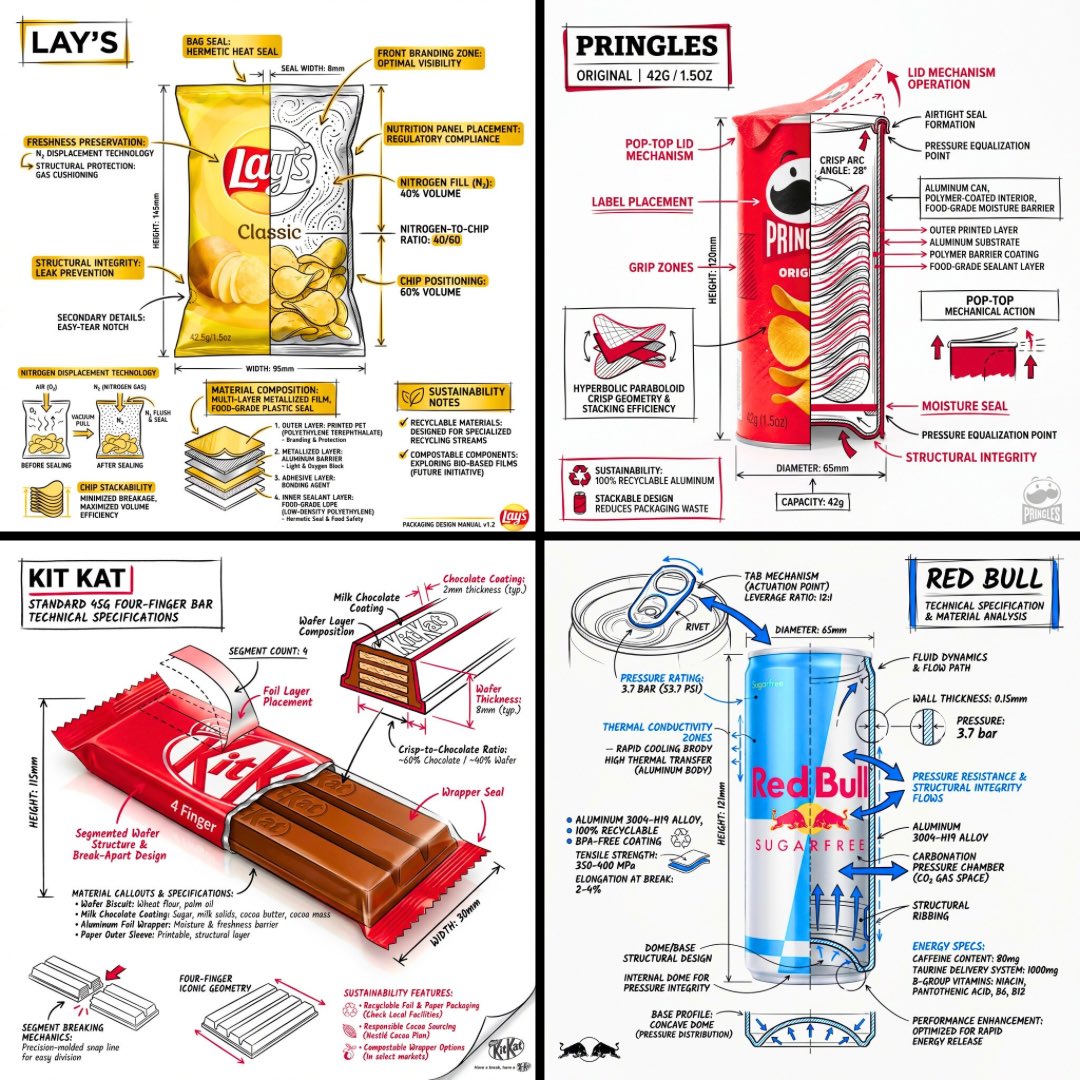
프롬프트/GPT Image 프롬프트/프롬프트 세부 정보이미지 프롬프트기술 엔지니어링 제품 인포그래픽사실적인 제품 렌더 위에 주석과 다이어그램을 오버레이하는 건축 스타일 기술 인포그래픽을 만들기 위한 프롬프트.이 프롬프트 사용좋아요2조회144북마크2이 프롬프트를 저장하거나 친구와 공유하세요.프롬프트 공유프롬프트복사Design a branded technical infographic of a {argument name="subject" default="[SNACK]"} that overlays architectural-style annotations onto a realistic product photograph or photoreal render. Place everything on a pure white studio background, with black ink linework as the primary technical language and strategic {argument name="brand color" default="[BRAND COLOR]"} accents (engineer-sketch energy on premium packaging). Layer the following annotations on top of the product: • Labels calling out every key component • An internal cross-section that reveals layering, structure, or internal design • Dimensions, measurements, and product specifications • Material callouts listing composition and quantities • Arrows pointing to primary features and structural details • A small schematic or sectional diagram showing mechanical / design logic • Sustainability callouts Set the product name in bold font inside a hand-drawn annotation box with an accent-color border, anchored in an upper corner as the title. Style and layout rules: • Keep the realistic product fully visible underneath all the linework • Annotations should read as sketched, technical, and architectural • About 70-80% black linework for primary technical lines, 20-30% {argument name="accent color" default="[BRAND COLOR]"} for accent highlights • Balanced composition with generous negative space • Educational food-engineering tone with premium brand polish • Drop a subtle brand logo mark in one corner Visual style: minimal technical-illustration aesthetic, black linework with accent color over realistic imagery, precise but with a slightly hand-drawn feel. Color palette: white background, black annotation lines and text, [BRAND COLOR] reserved for accents and key callouts only. Output: 1080×1080, ultra-crisp, optimized for social feeds, no watermark.프롬프트 보기