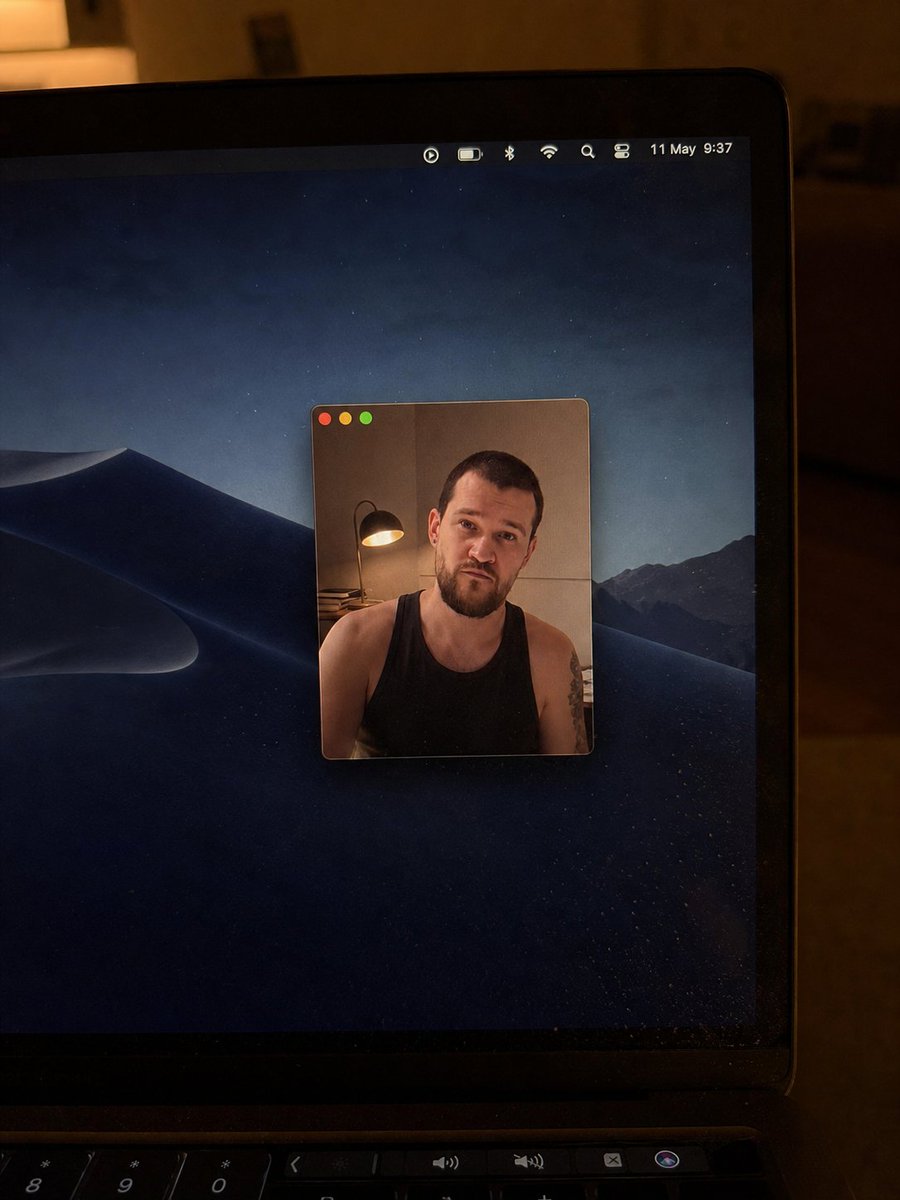
提示詞/GPT Image 提示詞/提示詞詳細資料圖片提示詞寫實Mac網路攝影機照片編輯將參考的筆電網路攝影機照片轉換為更乾淨的低光Mac桌面照,具備更小且置中的網路攝影機視窗與更新的視覺細節。此提示詞使用了參考圖片立即使用讚4瀏覽575收藏0儲存此提示詞或分享給朋友。分享提示詞提示詞複製Using the provided reference image as the base, regenerate it as a cleaner, more realistic low-light phone photo of the same laptop screen. Keep the overall concept of a Mac desktop with a floating webcam window and the same anonymized square blur over the face, but change the scene as follows: crop in closer on the laptop so the right side of the screen and bezel dominate the frame, remove the bottom dock from view, and use a dark macOS desert-at-night wallpaper instead of the lake wallpaper. Make the webcam window much smaller and centered on the desktop, with only the three traffic-light buttons visible at the top left and no title text. Inside the webcam window, keep the same person as the subject but change the shirt to a {argument name="shirt style" default="black sleeveless tank top"}, show more shoulders/upper arms, and add a visible tattoo on the subject’s right upper arm. Reposition the desk lamp so it appears on the left side inside the webcam frame with warm light. Update the menu bar so it looks minimal and shows {argument name="date and time" default="11 May 9:37"}. Preserve the candid handheld camera look, warm room lighting, laptop bezel, keyboard edge at the bottom, mild screen dust/reflections, and natural photo imperfections; avoid adding extra UI windows, dock icons, or sharp studio-clean rendering.展開提示詞