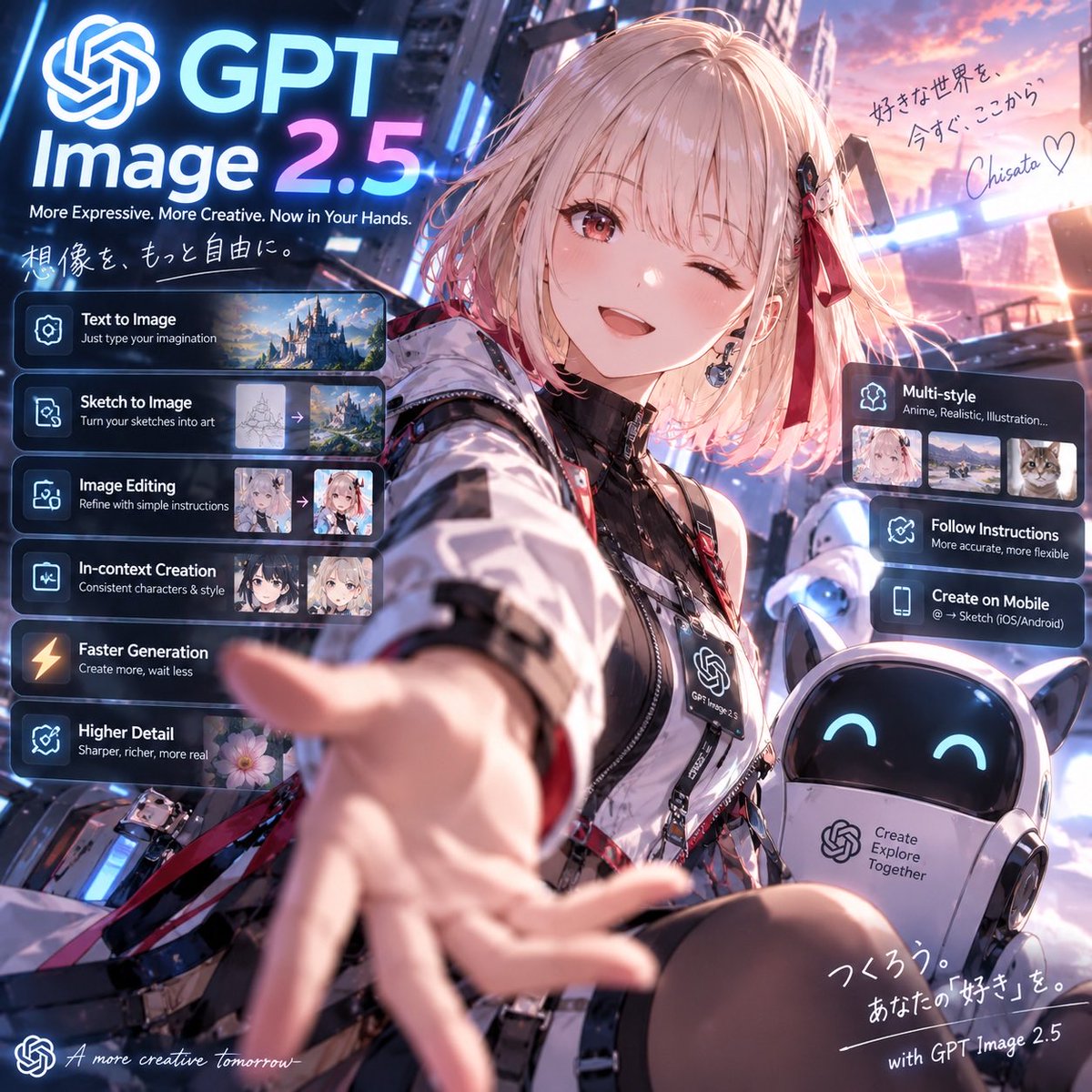
프롬프트/GPT Image 프롬프트/프롬프트 세부 정보이미지 프롬프트GPT 이미지 2.5 애니메이션 론칭 포스터윙크하는 테크웨어 마스코트, 로봇 동반자, 상세한 GPT Image 2.5 기능 UI 카드가 포함된 정사각형 미래형 애니메이션 홍보 포스터를 만듭니다.이 프롬프트는 참조 이미지와 함께 사용되었습니다이 프롬프트 사용좋아요11조회543북마크0이 프롬프트를 저장하거나 친구와 공유하세요.프롬프트 공유프롬프트복사Goal: Create a polished square promotional anime key visual for {argument name="product name" default="GPT Image 2.5"}, presenting it as a futuristic creative image-generation service with a cheerful anime ambassador reaching toward the viewer. Canvas: 1:1 square social-media poster, cinematic neon city background at sunset, high-detail anime illustration blended with sleek SaaS launch-page UI overlays. Use strong depth of field: the character’s outstretched hand is large and slightly motion-blurred in the foreground, her face is sharp, and the city is softly glowing behind her. Main subject: A cute anime girl in the center-right foreground, about teenage/young adult style, short fluffy {argument name="hair color" default="pale pink-blonde"} bob hair with bangs, one eye winking and one warm reddish-brown eye open, smiling brightly. She wears a futuristic black-and-white techwear jacket with glossy panels, straps, zippers, badges, red ribbon accents, black inner top, and a lanyard badge printed with the OpenAI-like knot logo and “GPT Image 2.5”. Her right arm reaches toward the camera invitingly. Add a small black-and-red hair clip and ribbon on one side. Companion robot: Place exactly 1 small rounded companion robot at the lower right, white body with cat-ear-like points, glossy black face screen, cyan smiling eyes, and a chest panel containing the OpenAI-like knot logo plus the text “Create Explore Together”. Branding and headline: At the upper left, place a large glowing OpenAI-like knot icon followed by huge text “GPT” on the first line and “Image 2.5” below it, with “2.5” in a blue-to-pink neon gradient. Under it, add the tagline “More Expressive. More Creative. Now in Your Hands.” Add handwritten Japanese text beneath: 「想像を、もっと自由に。」 Left feature stack: Add exactly 6 translucent dark glassmorphism cards stacked vertically on the left, each with a glowing icon, bold white title, smaller subtitle, and where visible a small preview thumbnail strip. The 6 cards are: 1) “Text to Image” with subtitle “Just type your imagination” and 1 landscape castle thumbnail; 2) “Sketch to Image” with subtitle “Turn your sketches into art” and 2 thumbnails showing a sketch converting to a fantasy landscape with an arrow; 3) “Image Editing” with subtitle “Refine with simple instructions” and 2 anime portrait thumbnails with an arrow; 4) “In-context Creation” with subtitle “Consistent characters & style” and 2 anime character thumbnails; 5) “Faster Generation” with subtitle “Create more, wait less” and a lightning icon; 6) “Higher Detail” with subtitle “Sharper, richer, more real” and 1 flower thumbnail. Right feature stack: Add exactly 3 translucent dark glassmorphism cards on the right side. The top card is “Multi-style” with subtitle “Anime, Realistic, Illustration...” and exactly 3 thumbnails: anime portrait, realistic landscape, cat photo. The middle card is “Follow Instructions” with subtitle “More accurate, more flexible”. The lower card is “Create on Mobile” with subtitle “@ → Sketch (iOS/Android)”. Handwritten notes: In the upper right sky, add Japanese handwritten copy: 「好きな世界を、今すぐ、ここから。」 followed by a signature {argument name="signature" default="Chisato"} and a heart. At the bottom right, add handwritten Japanese copy: 「つくろう。あなたの『好き』を。」 and the line “with GPT Image 2.5”. At the bottom left, add a small OpenAI-like knot icon and cursive English text “A more creative tomorrow_”. Visual style: Premium anime promotional art, vibrant blue, cyan, magenta, and sunset-pink lighting; glowing holographic UI panels; reflective metal and glass; crisp typography; dramatic wide-angle selfie perspective; highly detailed face and clothing; soft bloom, rim light, and lens flare. Keep all UI text legible and aligned, with no extra feature cards beyond the specified counts.프롬프트 보기