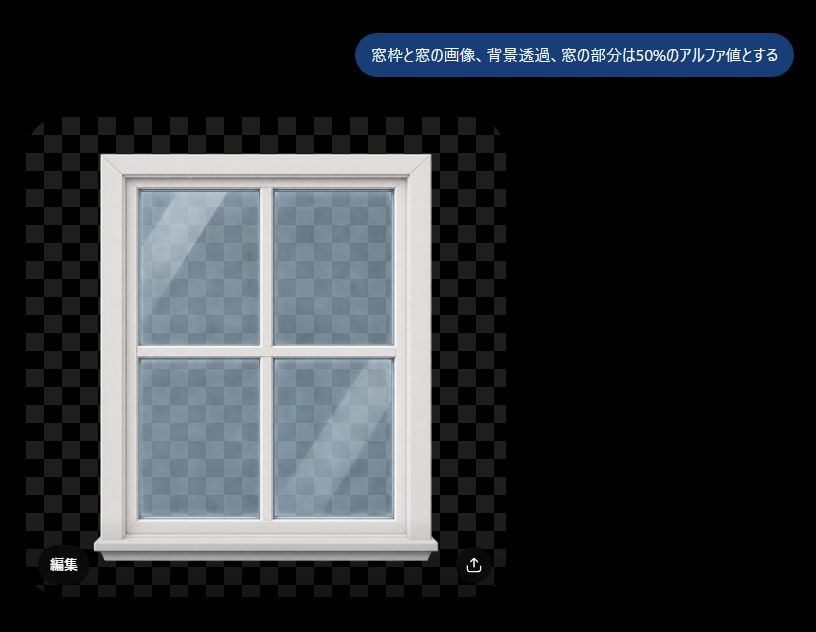
프롬프트/GPT Image 프롬프트/프롬프트 세부 정보이미지 프롬프트투명 창 알파 데모체커보드 투명 배경 위에 흰색 창틀과 부분적으로 투명한 유리창이 있는 UI 스타일 데모 이미지를 생성합니다.이 프롬프트는 참조 이미지와 함께 사용되었습니다이 프롬프트 사용좋아요2조회296북마크1이 프롬프트를 저장하거나 친구와 공유하세요.프롬프트 공유프롬프트복사Create a clean demonstration image on a black canvas showing a white-framed four-pane window graphic with transparency effects. The main subject is a realistic front-facing window centered slightly left, with a thick glossy white frame, beveled edges, a horizontal and vertical crossbar dividing the glass into exactly 4 rectangular panes, and a small sill at the bottom. Behind and through the window is a gray checkerboard transparency pattern, and the glass panes should show the checkerboard faintly with about 50% alpha, plus subtle bluish tint, soft reflections, and two diagonal light streaks. Around the window, include a larger semi-transparent checkerboard rectangle with alternating dark gray squares on the black background to clearly indicate transparency. At the top right, add one rounded blue speech-bubble label containing the Japanese text {argument name="instruction text" default="窓枠と窓の画像、背景透過、窓の部分は50%のアルファ値とする"} in white sans-serif type. At the bottom left of the checkerboard area, add one small dark rounded button labeled 「編集」, and at the bottom right add one small circular dark button with a white upload/share arrow icon. Keep the composition minimal, with no extra objects, no watermark, and crisp UI-like presentation.프롬프트 보기