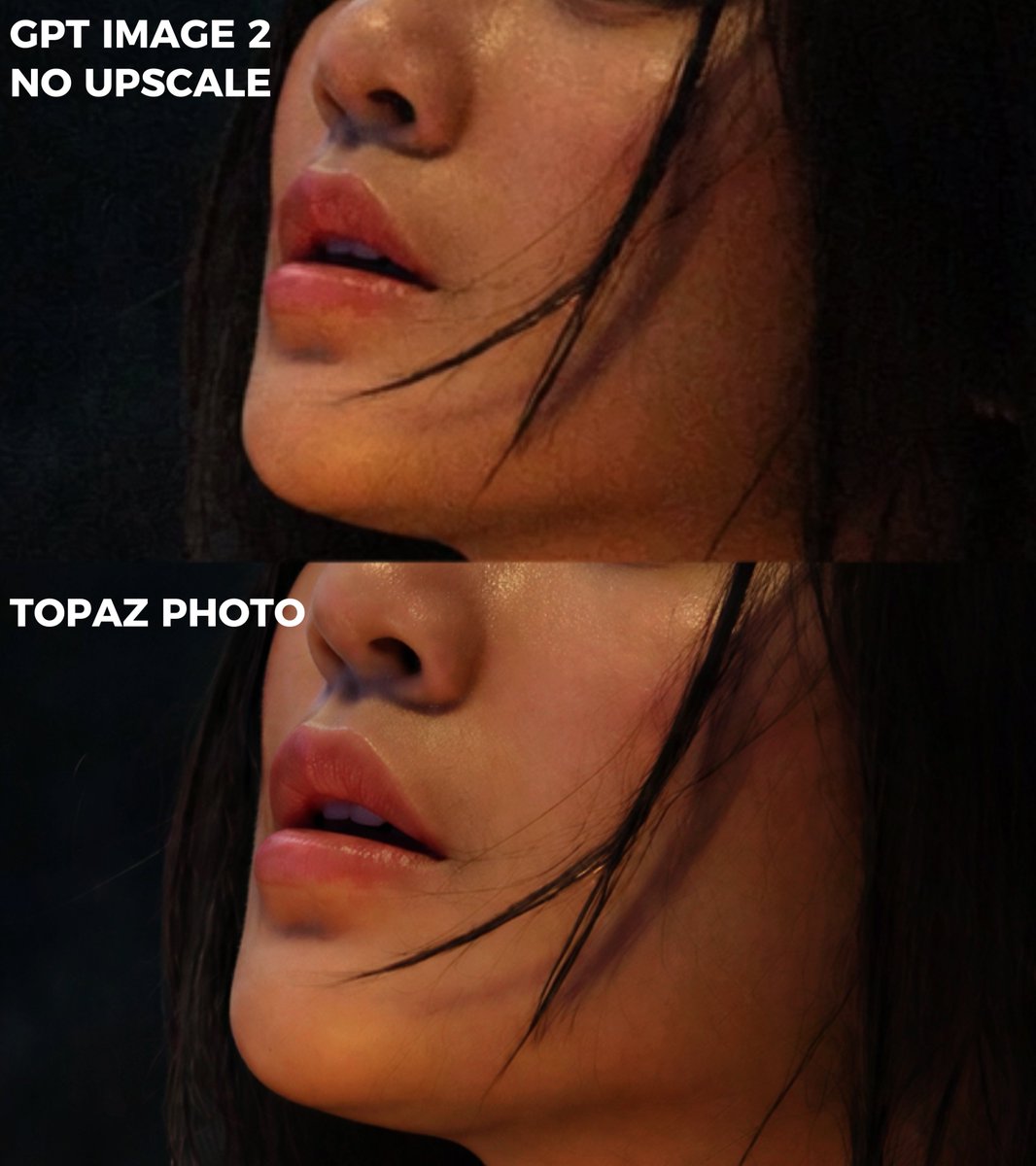
프롬프트/GPT Image 프롬프트/프롬프트 세부 정보이미지 프롬프트극단적 확대 비교 자르기원본 레이블과 익명 처리된 피사체를 유지하면서 두 개의 이미지 품질 비교에서 꽉 찬 클로즈업 자르기를 만듭니다.이 프롬프트는 참조 이미지와 함께 사용되었습니다이 프롬프트 사용좋아요68조회4,831북마크63이 프롬프트를 저장하거나 친구와 공유하세요.프롬프트 공유프롬프트복사Using REFERENCE_0 as the source image, create an extreme zoom-in crop for a detail-comparison view. Keep the same two stacked comparison sections and preserve the existing anonymizing face blocks, but crop tightly around the subject’s face, hair, jawline, and neck so the facial area fills most of the frame. Leave only partial edge context from the original forest background and the left-side white labels visible. Preserve exactly 2 visible section labels: “GPT IMAGE 2 NO UPSCALE” in the upper section and “TOPAZ PHOTO” in the lower section. Maintain the dark cinematic lighting, original colors, and comparison-divider structure; do not add new objects, new text, or change the subject.프롬프트 보기