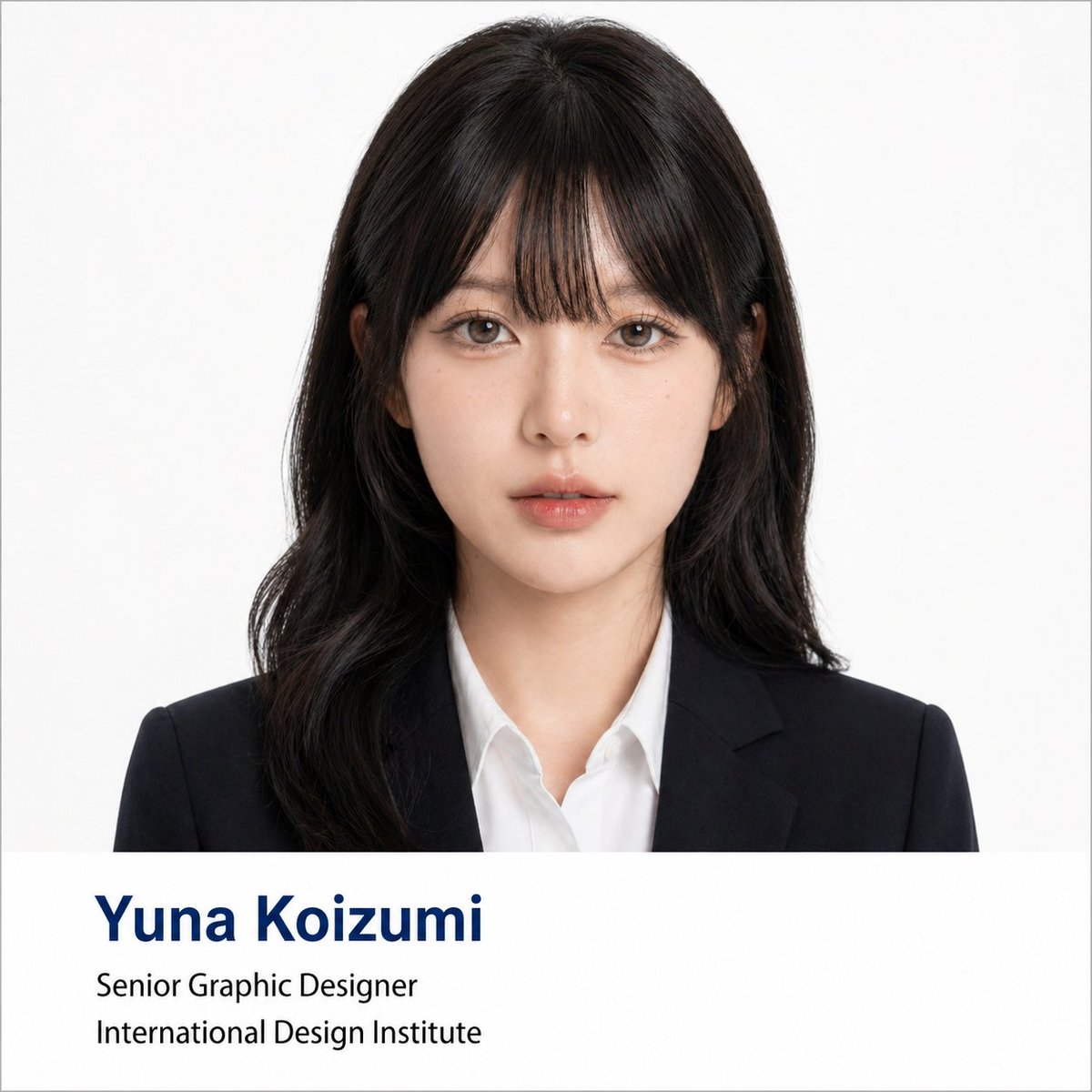
提示詞/GPT Image 提示詞/提示詞詳細資料圖片提示詞專業企業形象照海報產生器第 1 張圖片,共 2 張一組轉換提示詞,可將任何自拍變成專業企業形象照,並附上資訊列與正式服裝。此提示詞使用了參考圖片立即使用讚5瀏覽269收藏3儲存此提示詞或分享給朋友。分享提示詞提示詞複製Using the portrait photo you upload, create a polished formal business headshot poster. Keep the person's real facial features, proportions, face shape, and overall presence intact — do not change who they look like. Lightly refine the facial contour to look cleaner and more photogenic. Smooth skin texture and reduce blemishes or uneven tone without over-retouching — preserve natural skin detail and realistic lighting. Give the subject a business hairstyle tailored to their face shape: neat, professional, and natural-looking, not exaggerated. Dress them in formal business attire — dark suit jacket, white or light shirt, optional tie — for a premium, minimal, trustworthy appearance. Composition: frontal half-body portrait, subject centered, looking directly at the camera with a calm, confident expression. Plain solid white background with soft, even lighting — similar to a professional ID photo or corporate headshot. Style: clean, formal, photorealistic, square 1:1 ratio. Include a clean info bar at the bottom with modern minimal typography: Name: {argument name="name" default="[Yuna Koizumi]"} Title: {argument name="job title" default="[Senior Graphic Designer]"} Department / Institution: {argument name="institution" default="[International Design Institute]"} Text rule: if any label text is in Chinese or another language, translate it to formal English before placing it in the image. Do not display Chinese in the image unless explicitly asked. Typography: Name in dark navy bold large font (first line); Title and Department in black regular weight (second and third lines). Layout should reference university faculty profile pages or professional conference speaker cards.展開提示詞